Updates

Stay up to date with the latest features, improvements, and fixes to ibana.

February 25, 2026

Open Claims: Improved Reconciliation

We have significantly upgraded our reconciliation algorithm to deliver more accurate matching results.

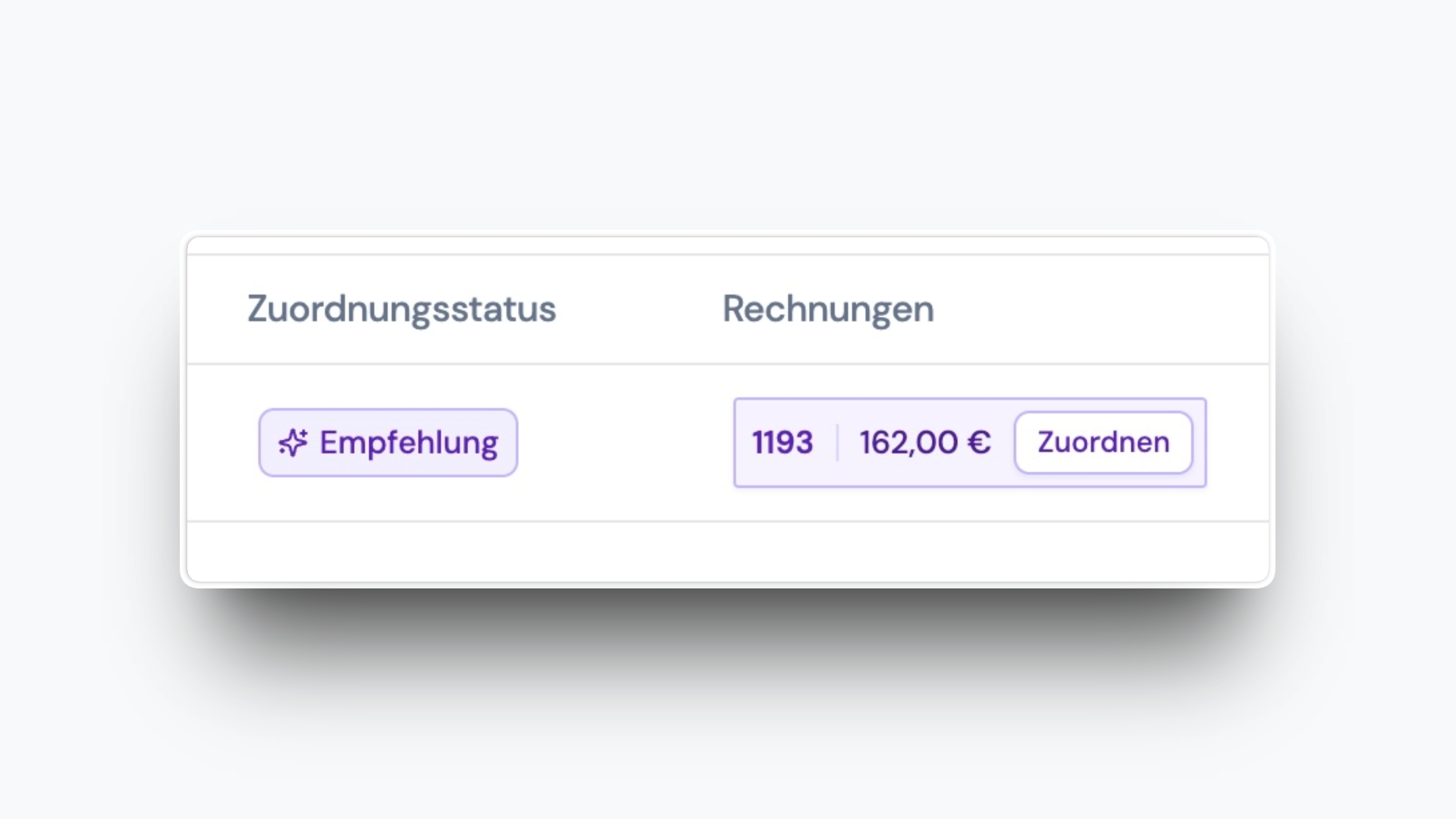
In addition to automatic matching between AR invoices and bank transactions, ibana now shows recommended matches when multiple invoices are plausible for a bank transaction.

Reconciliation Recommendations

In the bank transaction table, you now directly see the recommended invoice and can apply it with one click.

This helps you reconcile faster while still staying in control when confidence is lower.

February 5, 2026

Open Invoice Rows in a New Tab

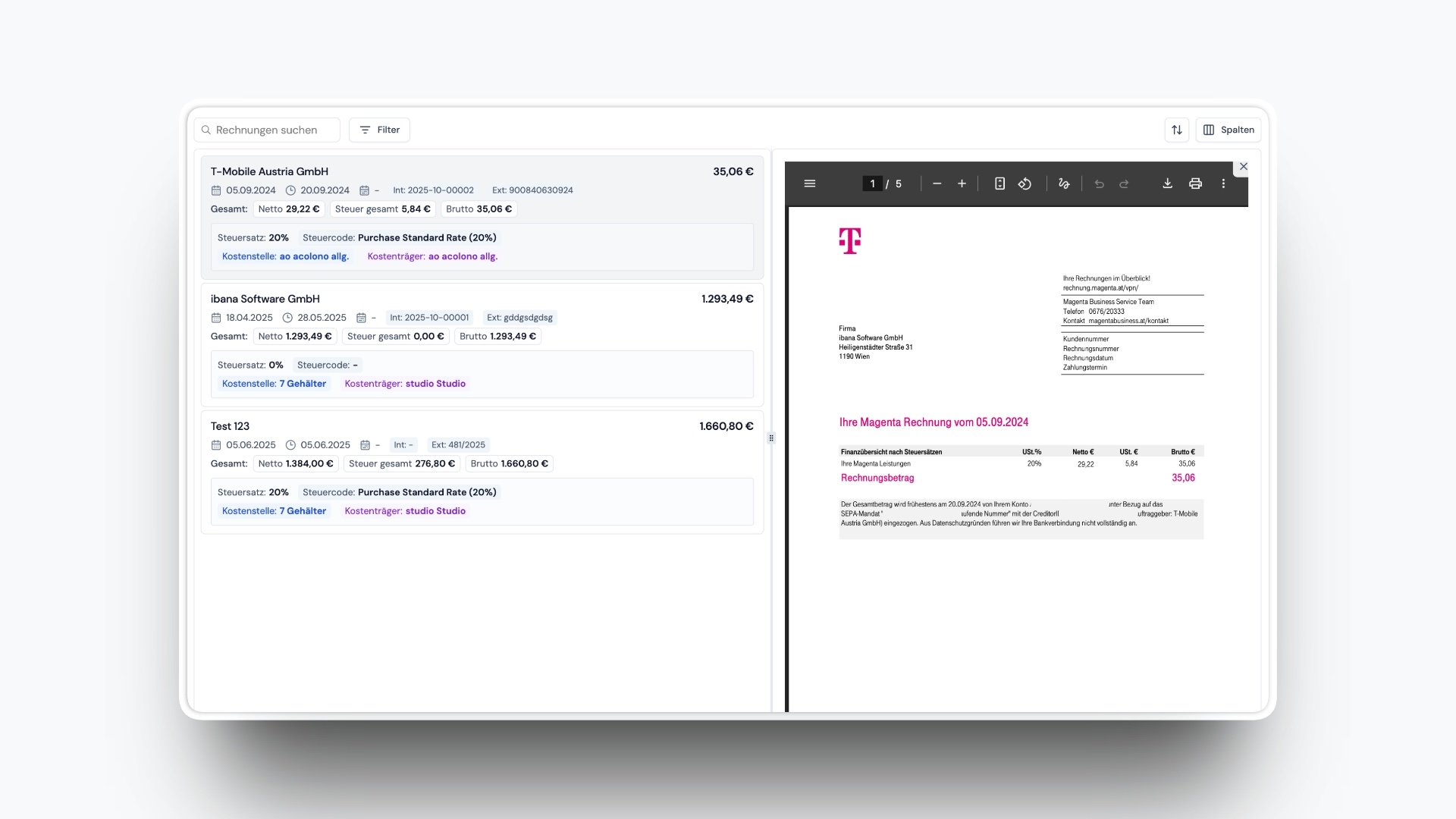
Open invoice details without losing your place in the table. You can now open invoice rows in a new browser tab.

Open Invoice Rows in a New Tab

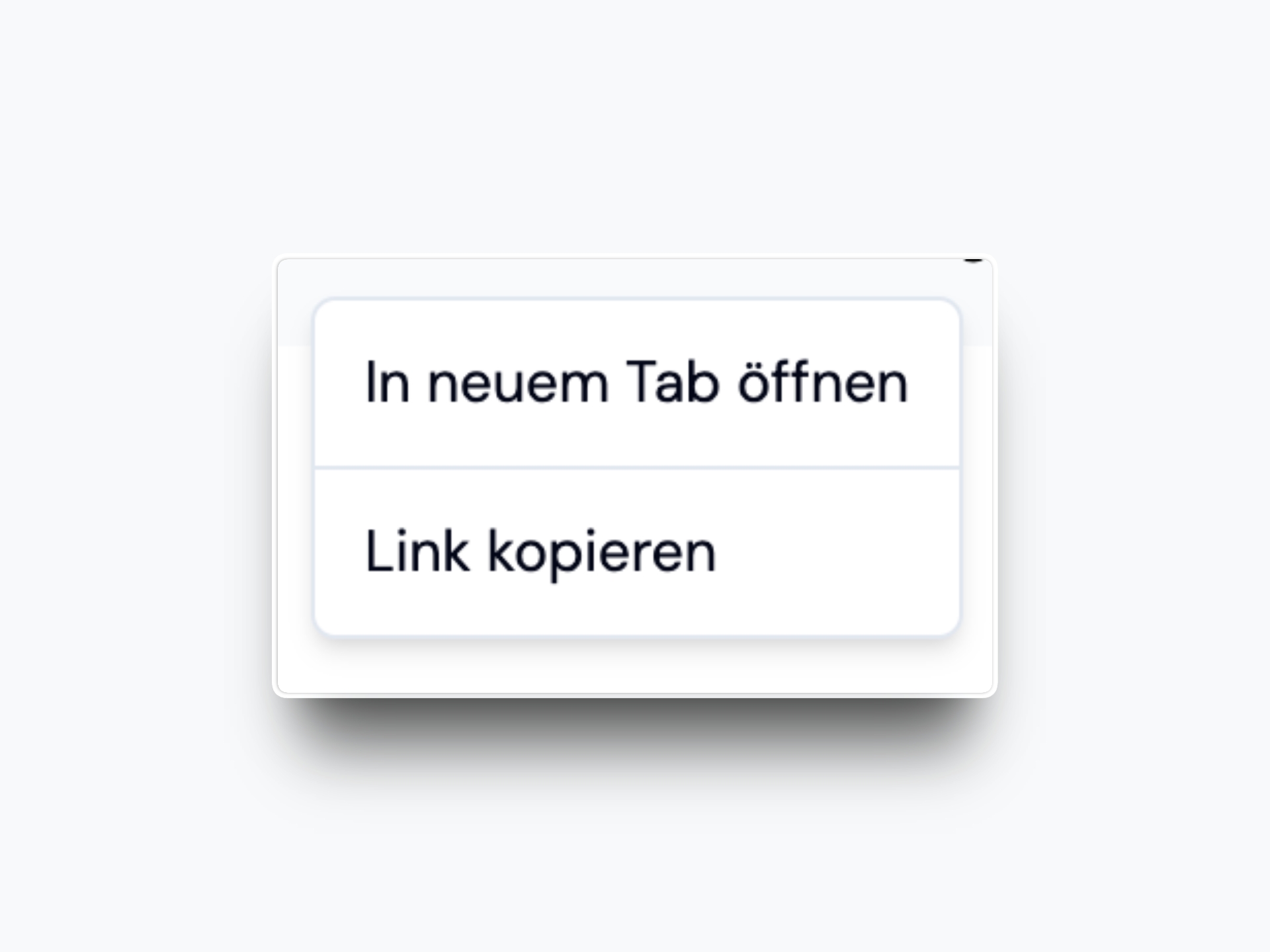
You can open a row in a new tab with:

  • Right-click and choose to open in a new tab
  • Cmd+click on macOS

This is currently available in the invoice table, where the need is most common.

February 5, 2026

Partial Invoice Export

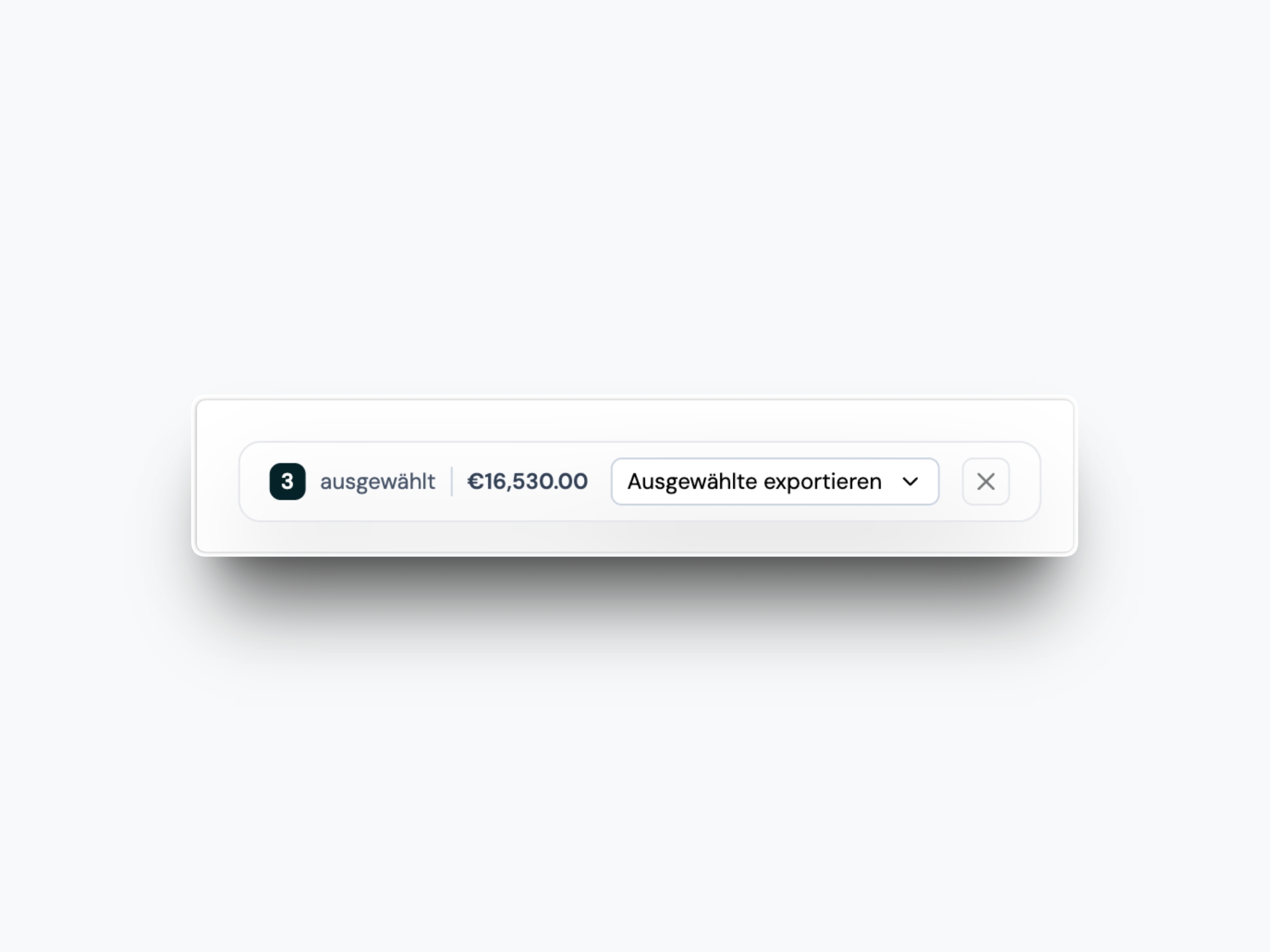
You can now export only the invoices you need. On export pages, the invoice table is selectable so you can choose a subset of invoices and create a new export package.

Partial Invoice Export

This makes it easy to handle partial exports without downloading everything at once.

February 4, 2026

UID Verification Visibility

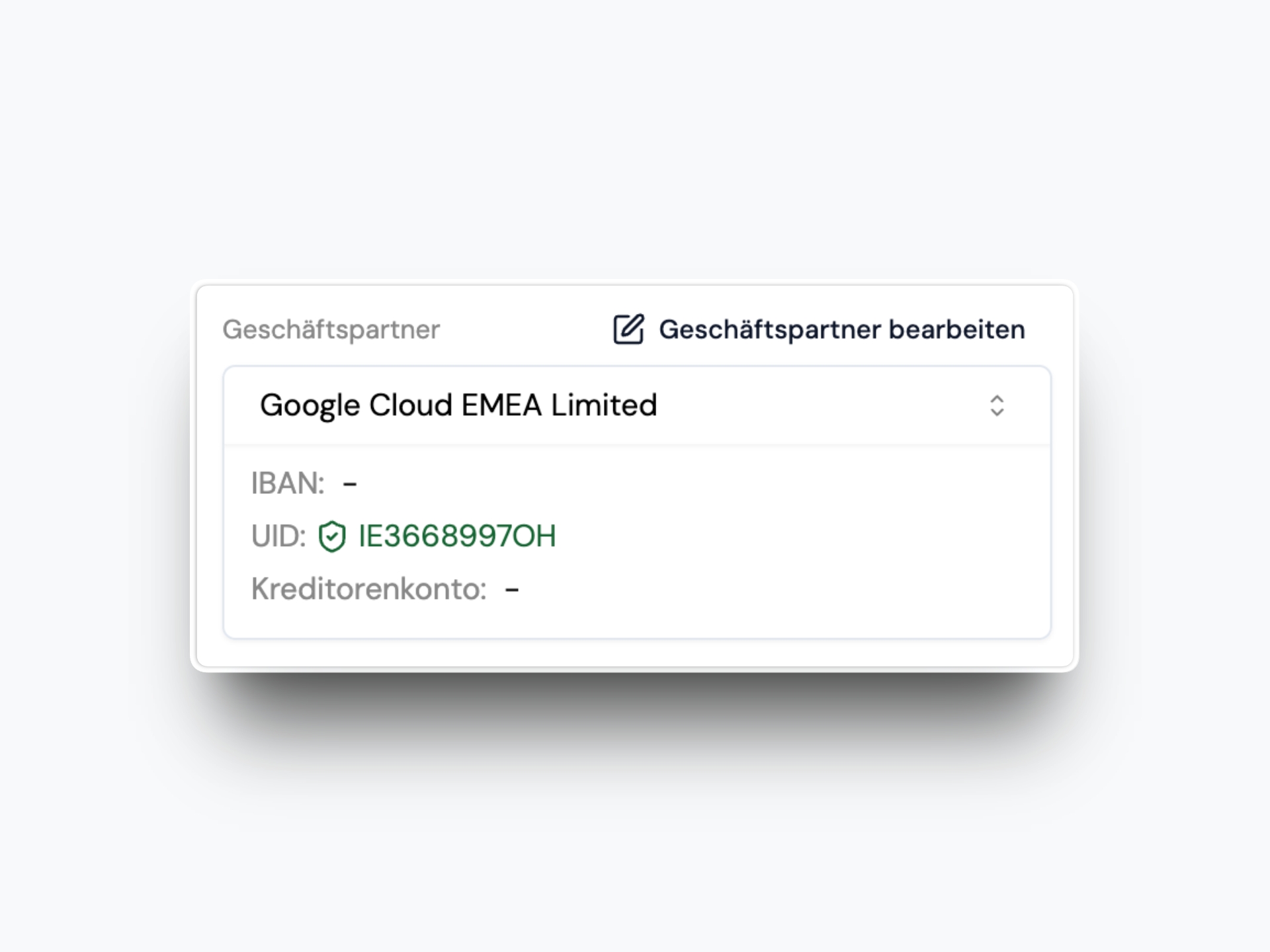
UID verification results are now easier to find, so you can confirm counterparties faster.

UID Verification Visibility

You will see the verification status in:

  • Invoice detail
  • Counterparty table

February 3, 2026

Calculations in Amount Fields

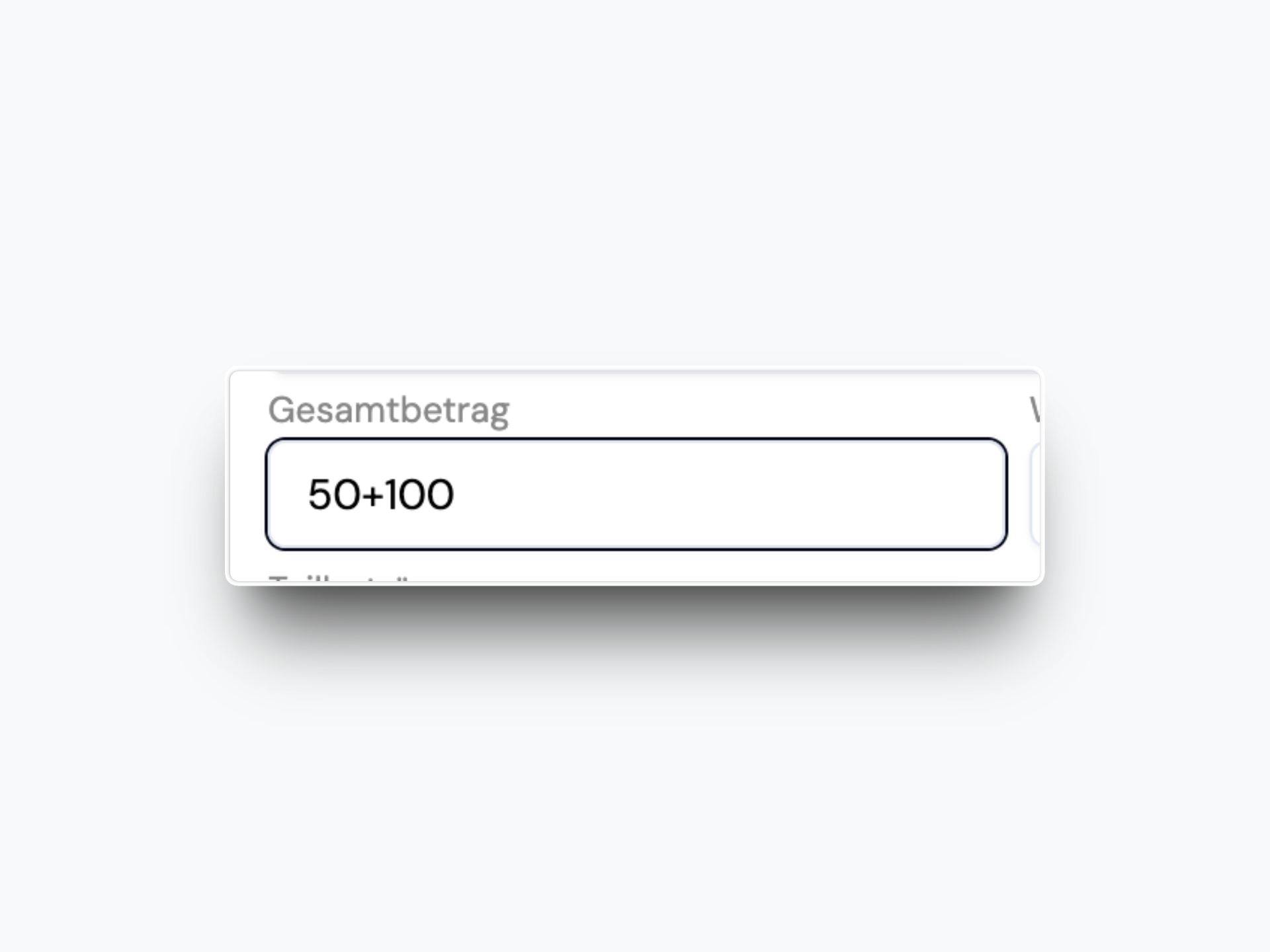
You can now type simple math directly into amount fields in invoice detail and splits.

Calculations in Amount Fields

Supported operators:

  • Addition +
  • Subtraction -
  • Multiplication *
  • Division /

The field will calculate the result automatically.

February 3, 2026

More Cost Center Dimensions

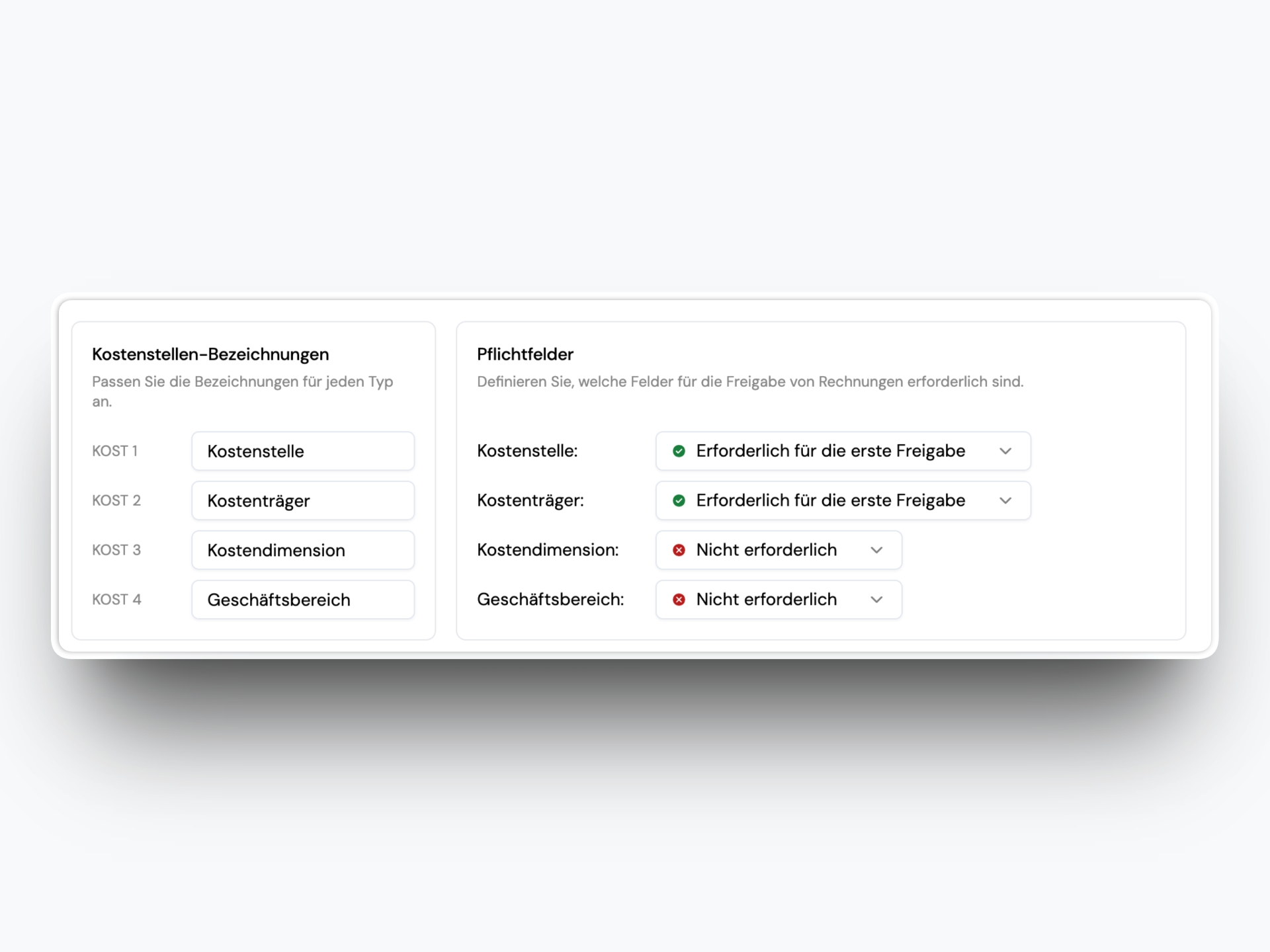
You can now track invoices with two additional cost center dimensions.

More Cost Center Dimensions

What is new:

  • Two new dimensions (KOST3 and KOST4)
  • Custom labels in organization settings
  • Dropdowns appear only when values are active
  • Predictions are supported during invoice scan
  • Exports include the new dimensions (BMD and ibana CSV)

January 23, 2026

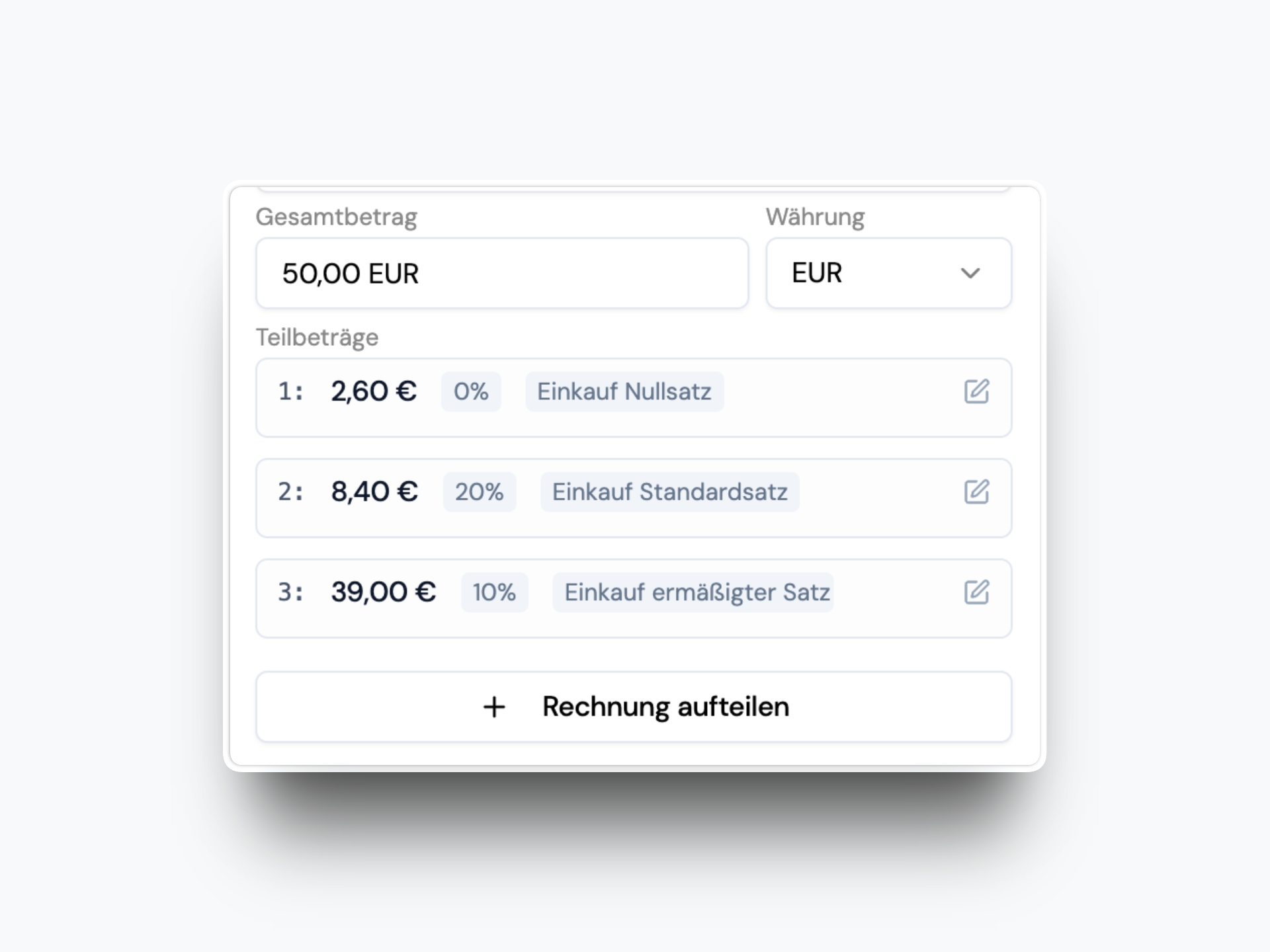
Automatic Split by Tax Rate

Invoices that contain multiple tax rates are now automatically split by tax rate.

Automatic Split by Tax Rate

This keeps the data clean and saves you from splitting items manually.

January 21, 2026

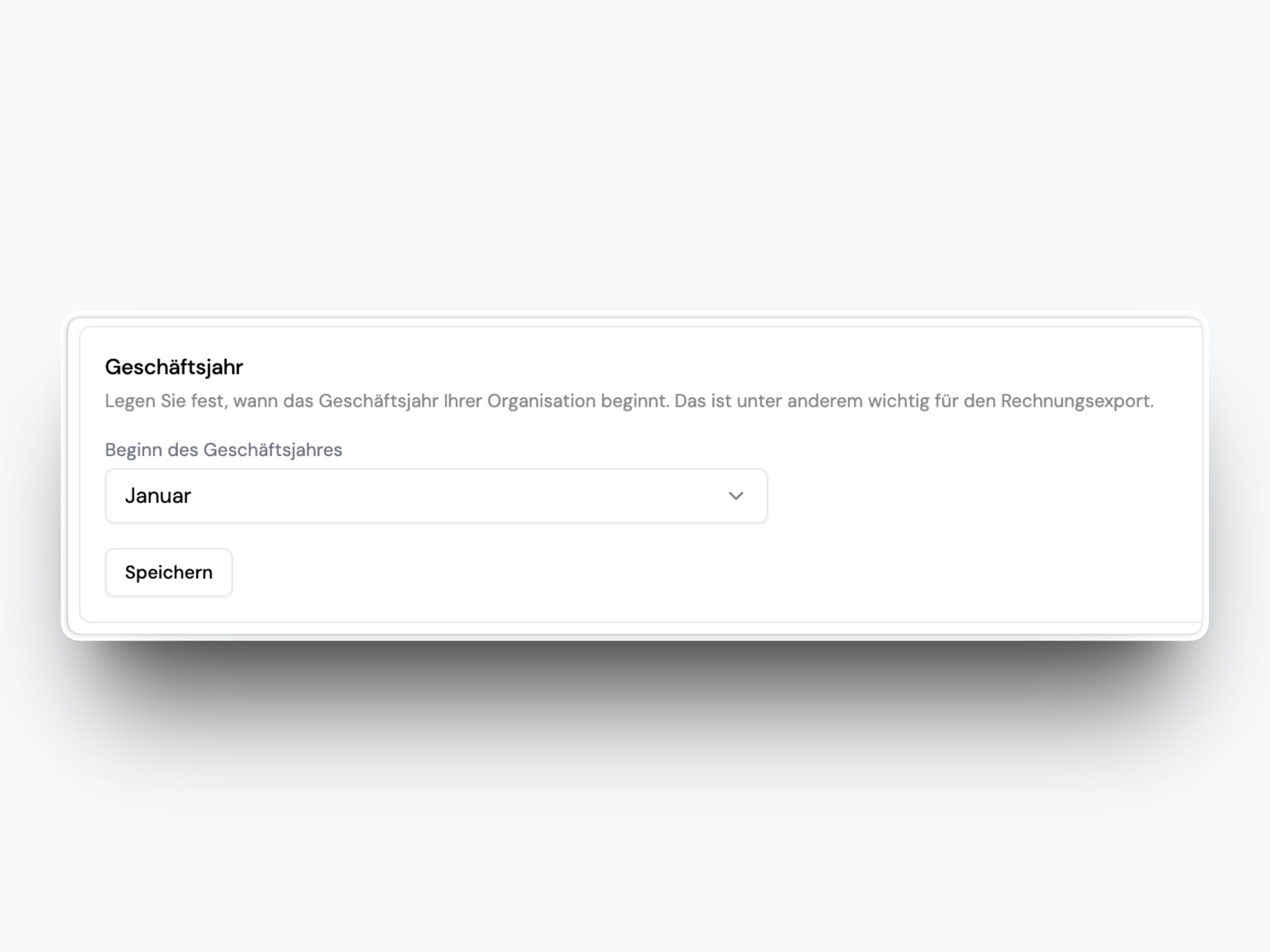
Custom Fiscal Year Start

You can now define the start month of your fiscal year in organization settings. The default remains January.

Custom Fiscal Year Start

This is especially important for exports (BMD and DATEV), which now align cleanly to your fiscal year.

January 20, 2026

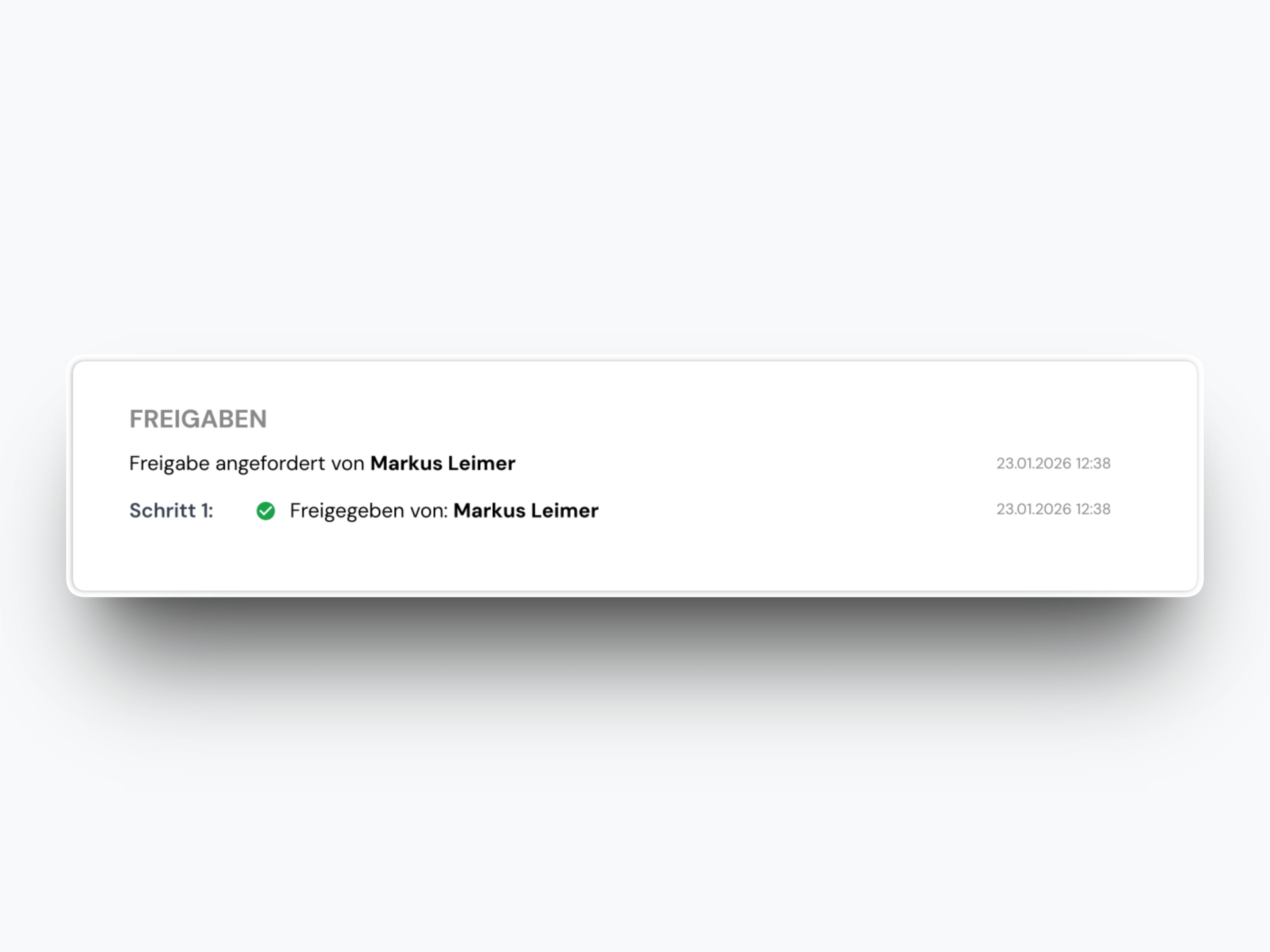
Approval Details in Export PDF

The summary PDF that is attached to exported invoices now includes full approval information.

Approval Details in Export PDF

It now shows:

  • Each approval step
  • Who approved and when
  • Comments from the approval process

January 20, 2026

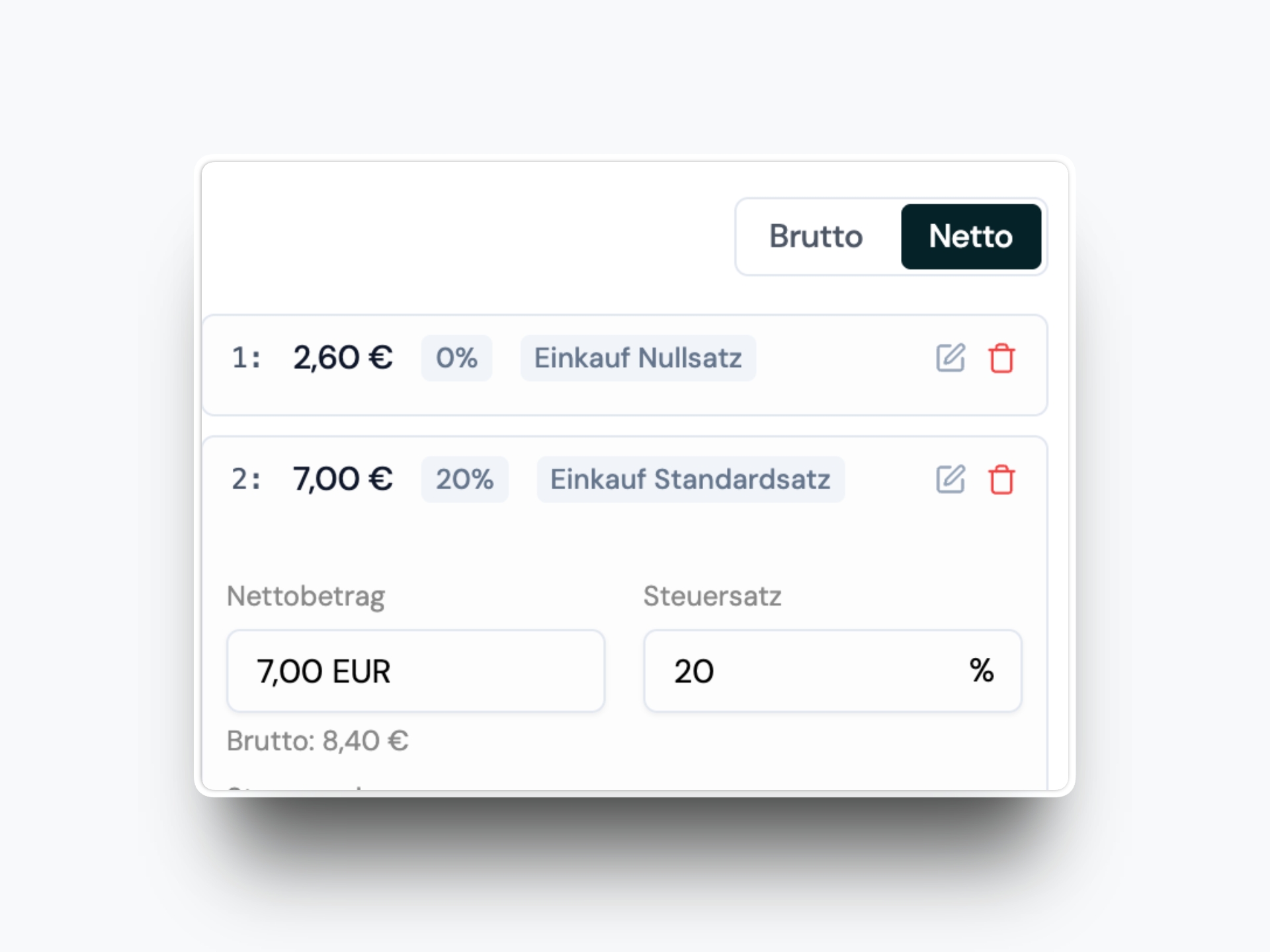
Net or Gross Entry for Splits

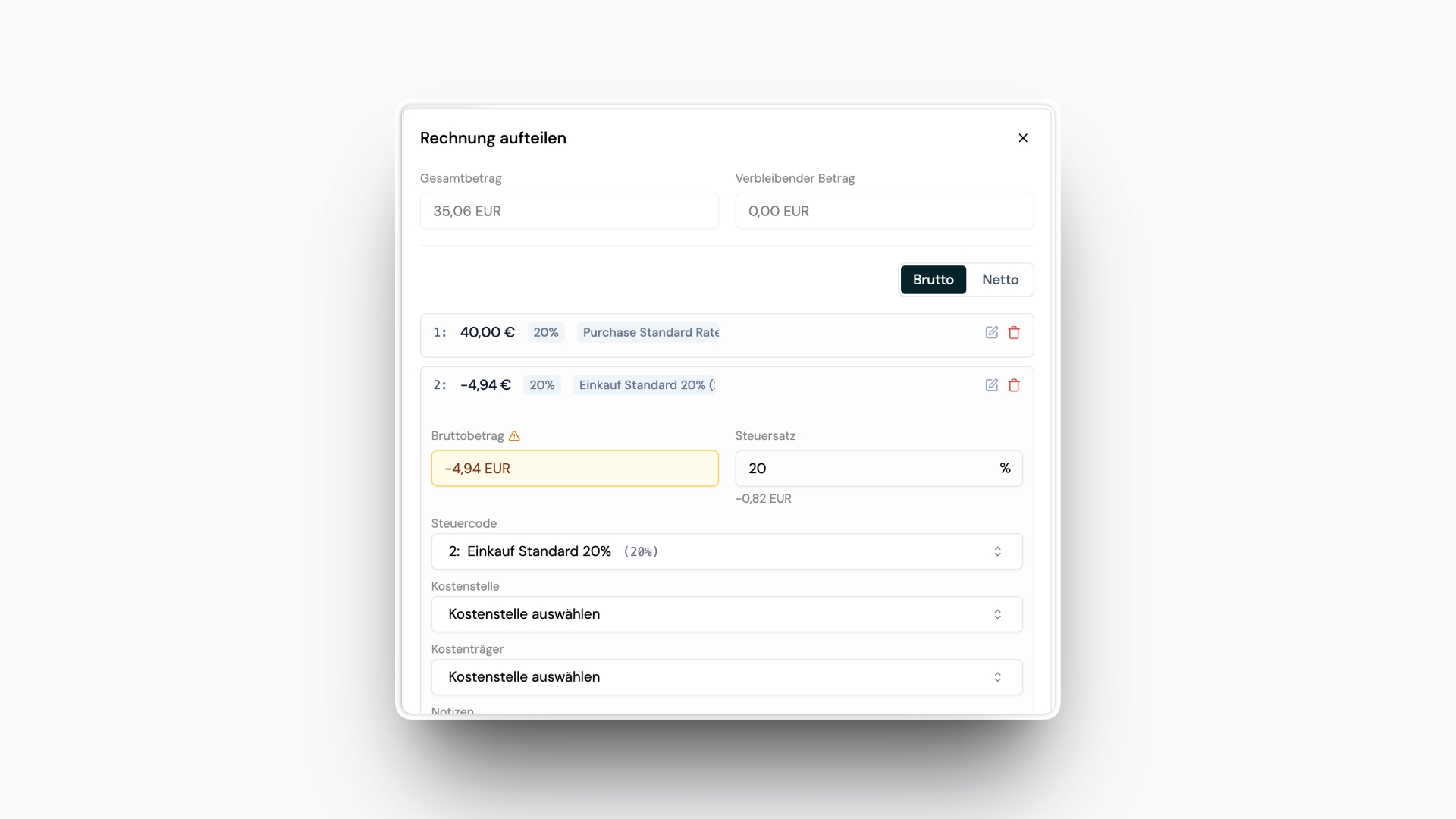
When splitting an invoice, you can now choose whether you are entering net or gross amounts.

Net or Gross Entry for Splits

The selection applies to all splits and ibana will calculate totals and taxes accordingly.

January 13, 2026

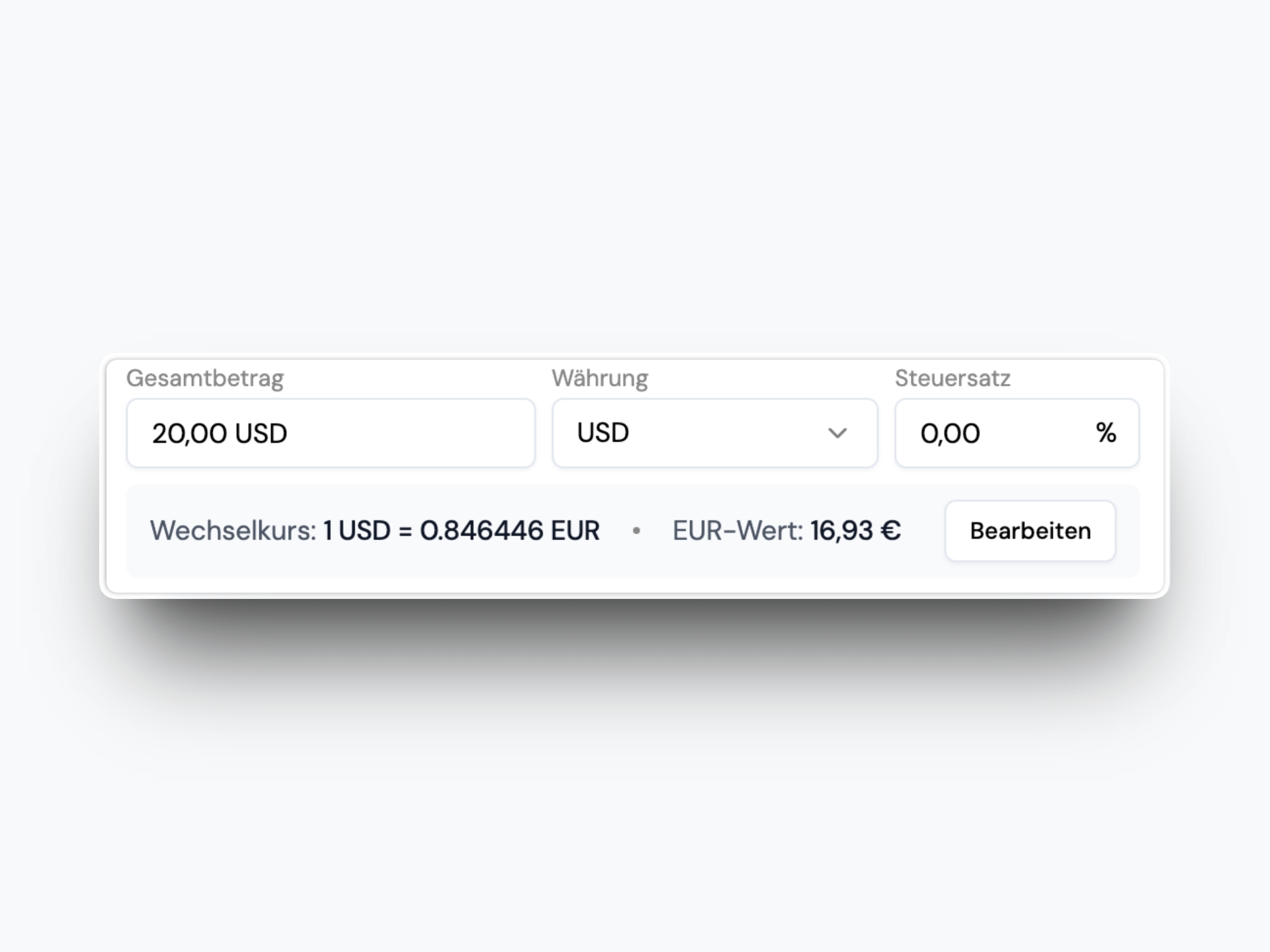
FX Rate and EUR Value in Invoice Detail

For non-EUR invoices, you now see the FX rate and the EUR value directly below the amount input.

FX Rate and EUR Value in Invoice Detail

The FX rate is pulled from the daily EZB rate. You can also edit either the EUR value or the FX rate and ibana will calculate the other automatically.

January 13, 2026

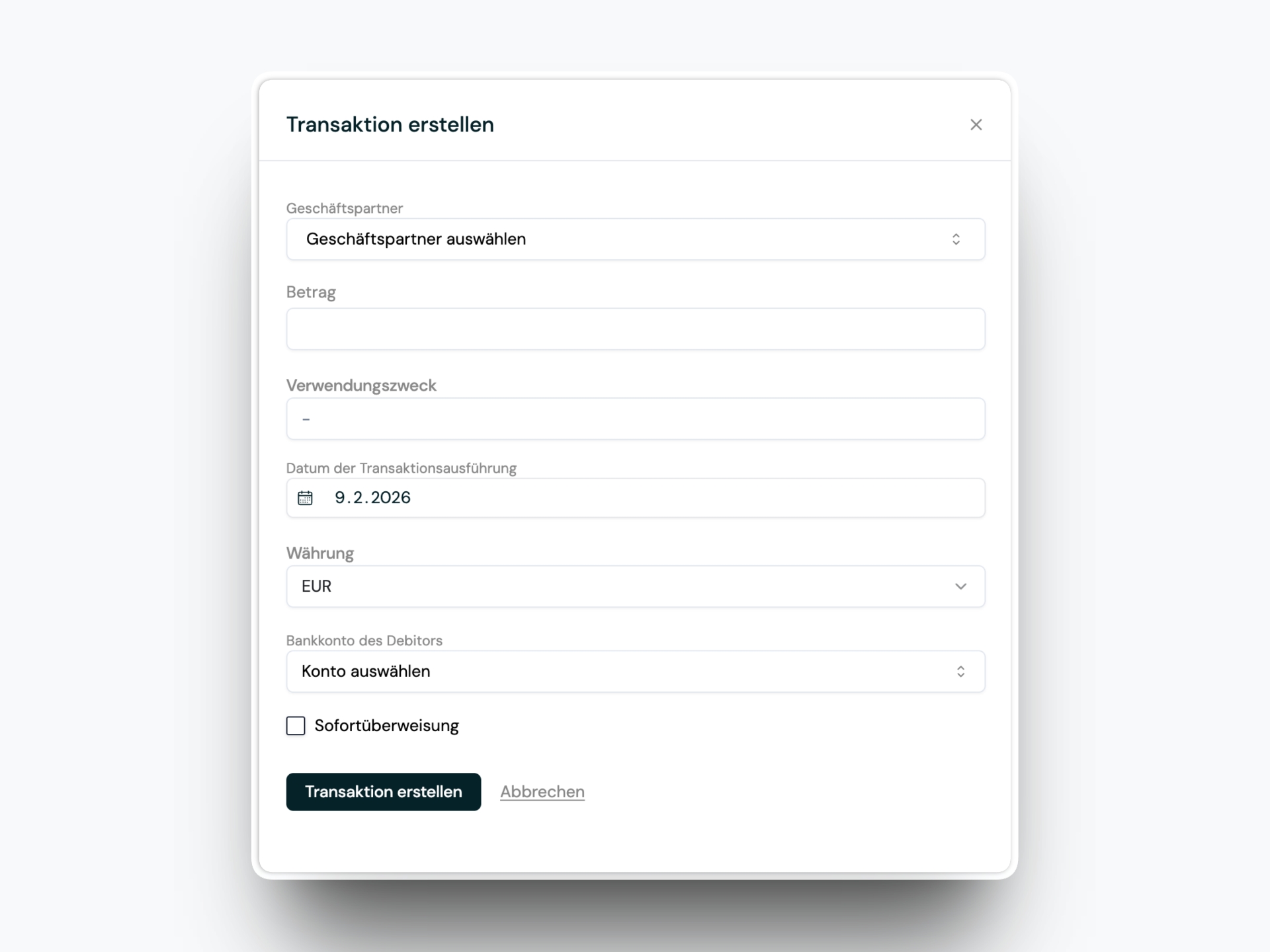
Create Transactions Manually

Manual transaction creation is back. If you have access to the transactions module, you can now add transactions directly.

Create Transactions Manually

A new action in the transaction dashboard and the all-transactions table opens a full-height right-side pane where you can enter the details.

December 17, 2025

Automatic Approval Workflow Selection

Admins can enable automatic approval workflow selection. If all required data is available, ibana can select and start the appropriate workflow automatically.

You can define priority rules first and optionally let ibana AI choose a workflow based on past behavior (for example, the same counterparty and cost centers). This reduces manual routing and keeps approvals moving.

November 18, 2025

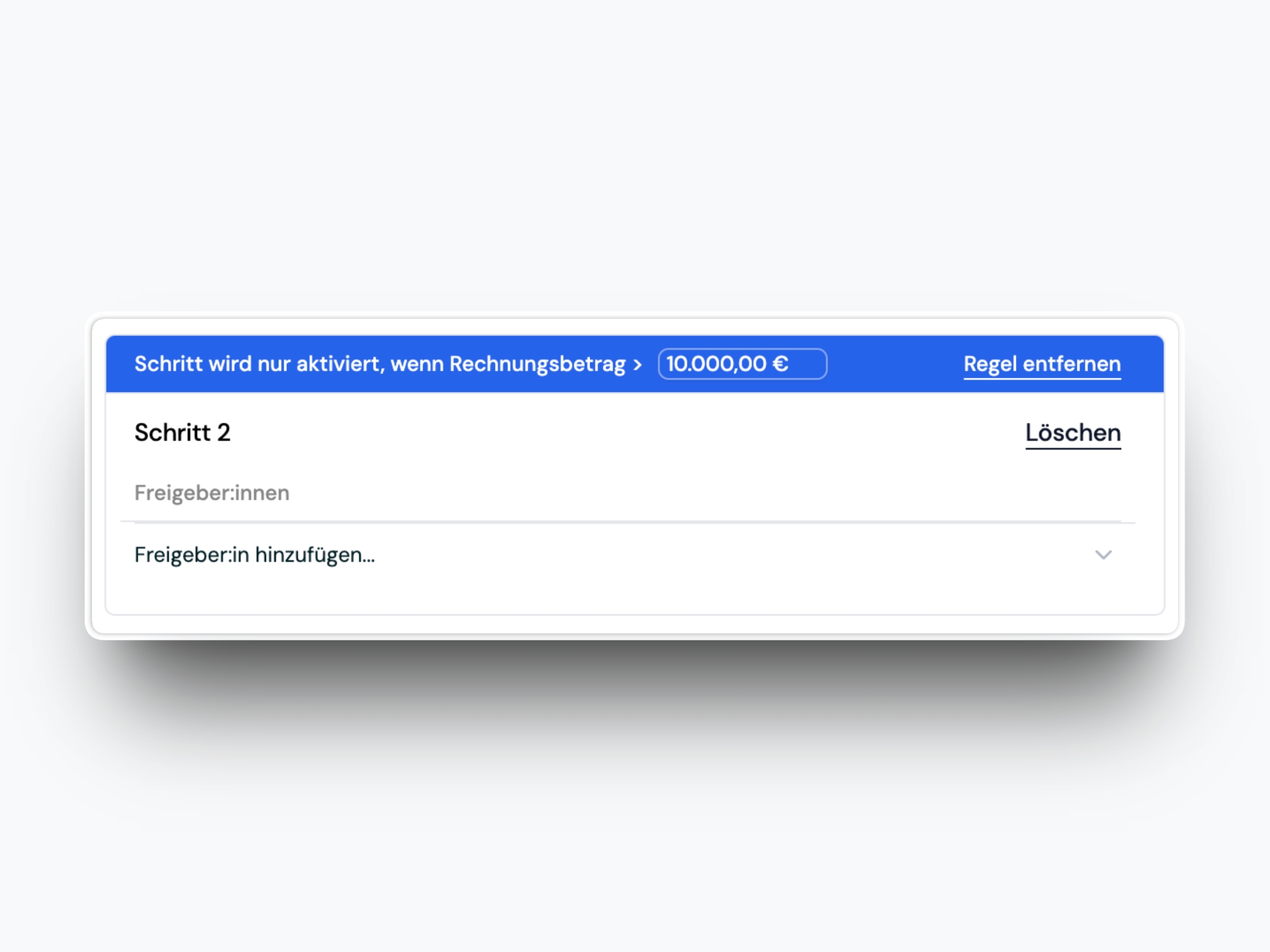
Approval Step Activation Rules

Approval workflows now support amount-based activation rules for steps.

Approval Step Activation Rules

For example, you can require a CFO step only when an invoice exceeds a specific amount. This makes workflows more precise without adding extra manual decisions.

October 10, 2025

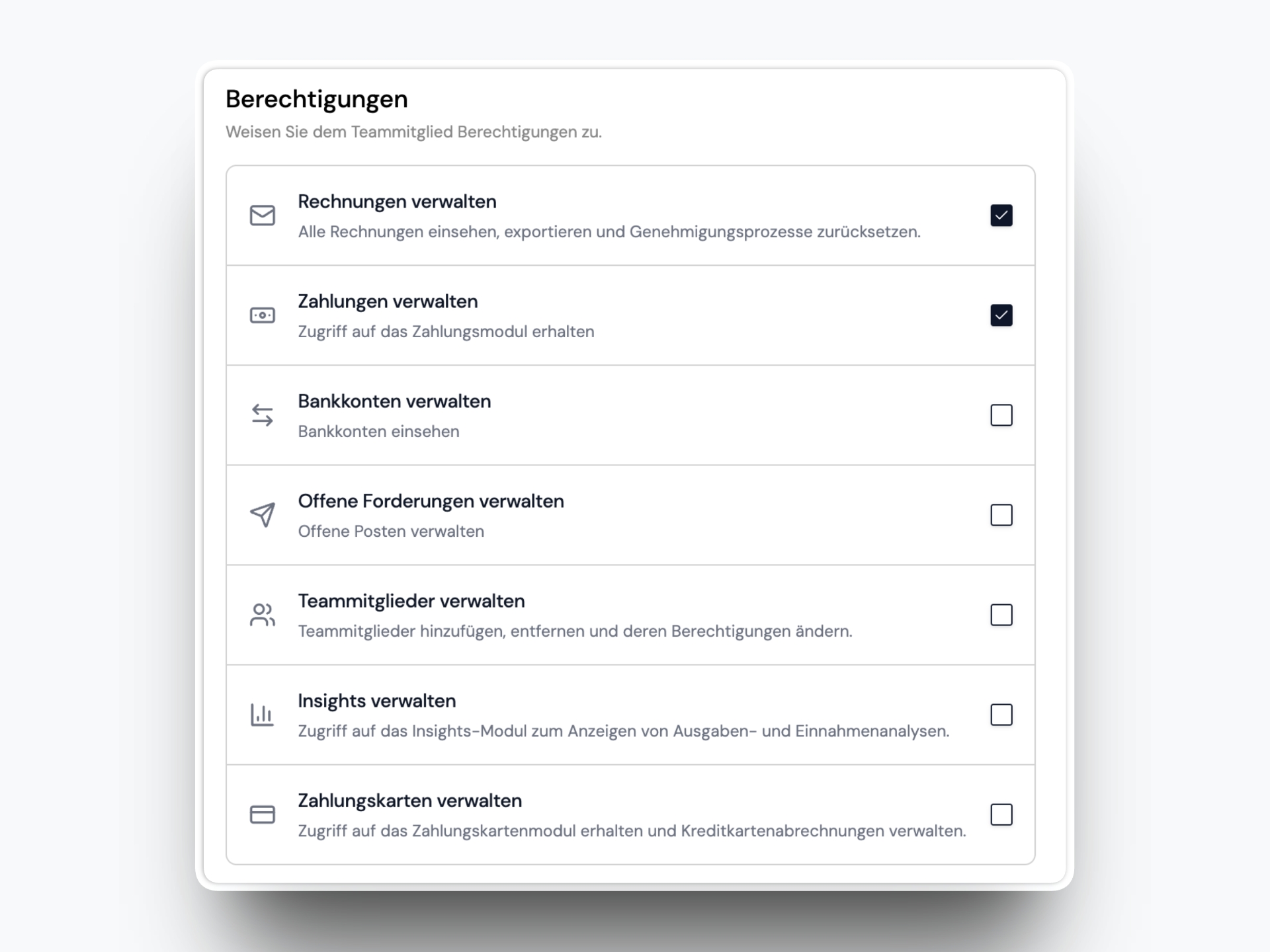
Updated Permission System

The permission system now lets admins fine-tune access for users. Instead of a single fixed User role, admins can define exactly which modules a user can access.

Updated Permission System

This gives teams more flexibility while keeping the Admin role unchanged.

October 8, 2025

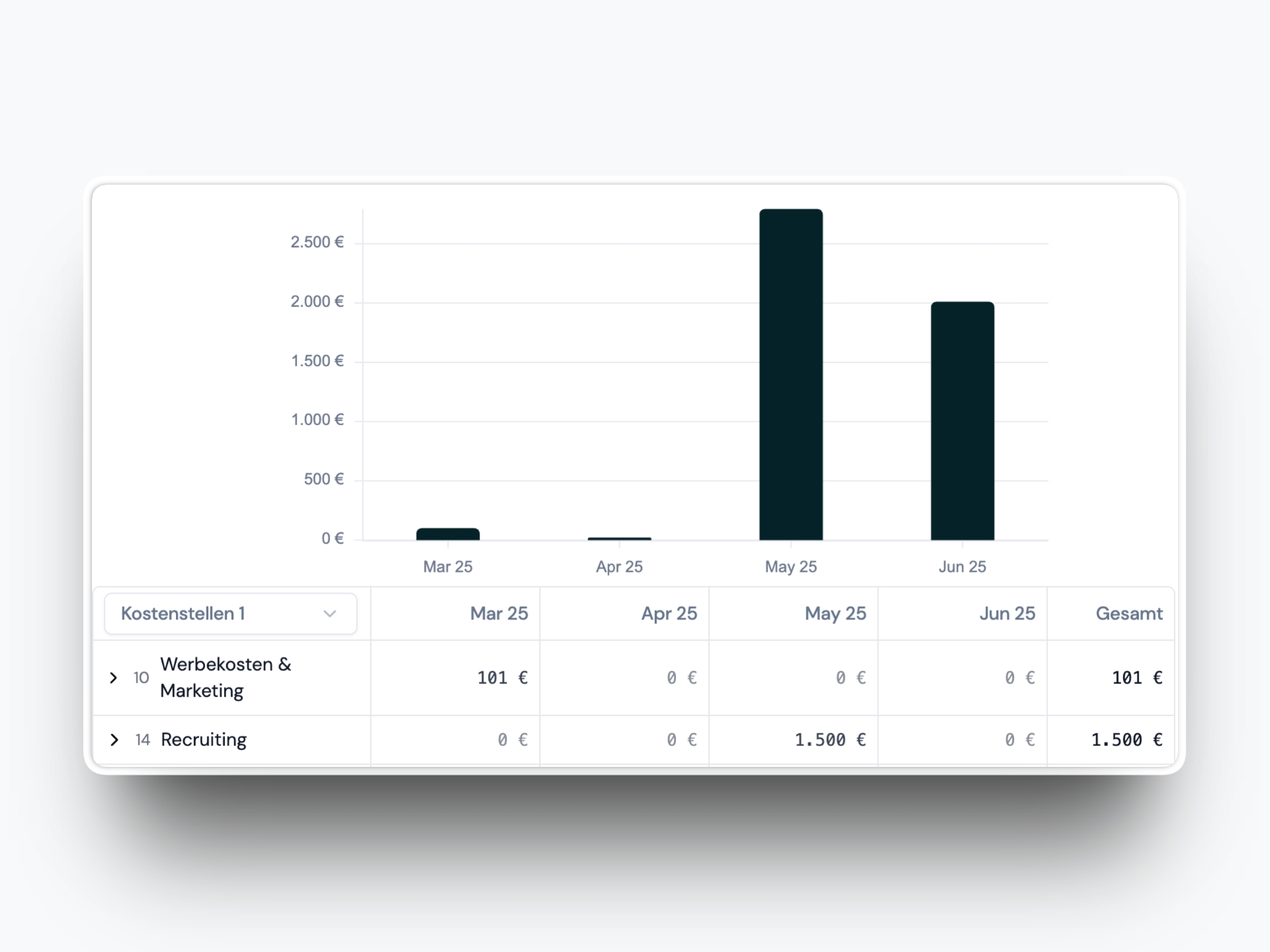
Insights v1

Insights v1 introduces a new way to explore both expense and income trends based on invoices in your system.

Insights v1

You can:

  • View expenses and income in a bar chart by month, quarter, or year
  • See a detailed table below the chart with breakdowns by cost centers and counterparties
  • Search and collapse categories to focus on what matters

June 14, 2025

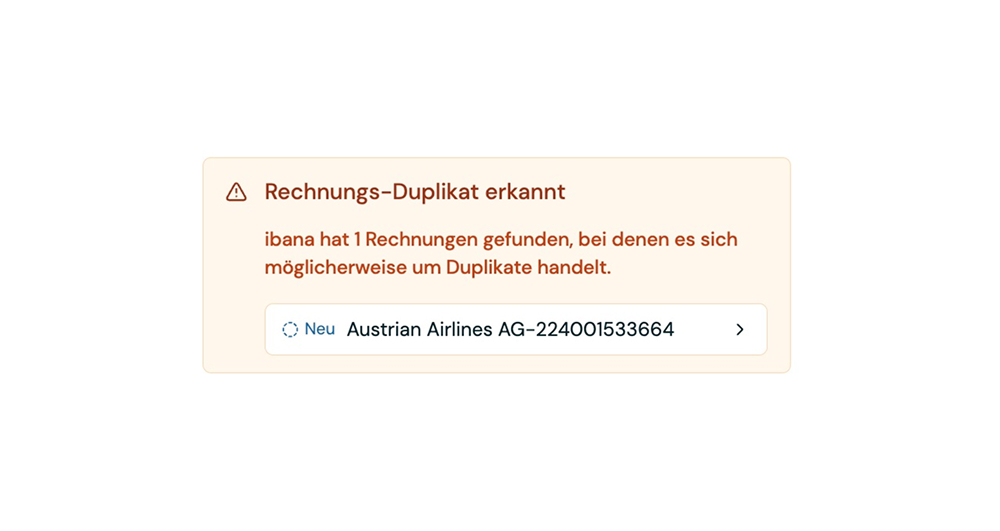
Enhanced Duplicate Detection

We've updated the invoice duplicate detection to be more reliable and show potential duplicates more prominently.

Enhanced Duplicate Detection

The system now uses multiple fields to determine duplicates including:

  • Vendor
  • Invoice number
  • Date
  • Amount

This multi-field analysis provides more accurate duplicate detection while reducing false positives. Potential duplicates are now displayed more prominently in the interface, making it easier to spot and handle them quickly.

June 2, 2025

More Precise Recipient Selection

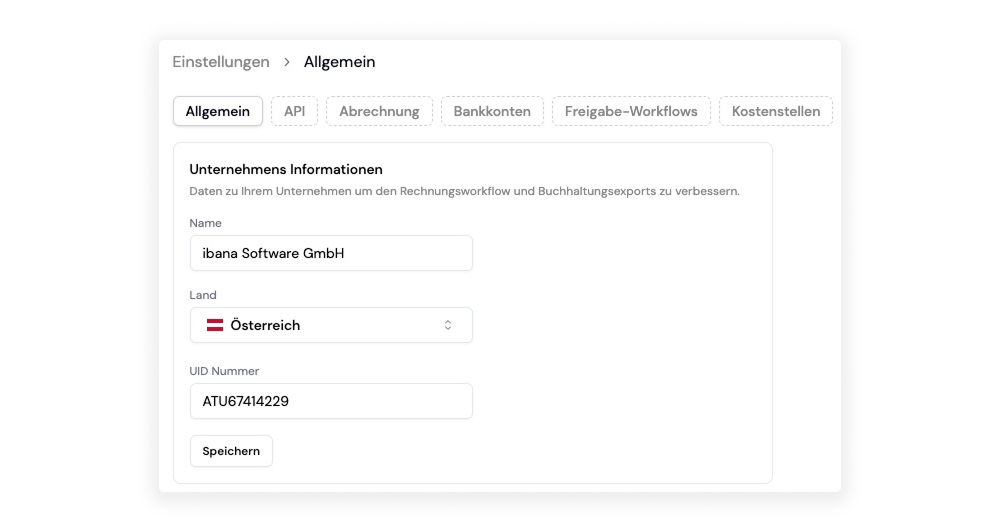
Configure your UID in the settings to help ibana more accurately identify invoice issuers versus invoice payers.

More Precise Recipient Selection

When processing invoices, ibana reads two UIDs - one from the invoice issuer and one from the invoice payer. Previously, the system sometimes confused these two roles, incorrectly identifying the payer as the issuer.

Now you can input your own UID in the settings. This allows ibana to recognize which UID belongs to you (the invoice payer) and correctly identify the other UID as the invoice issuer.

This simple configuration significantly improves the accuracy of recipient selection, ensuring invoices are properly categorized and processed.

May 20, 2025

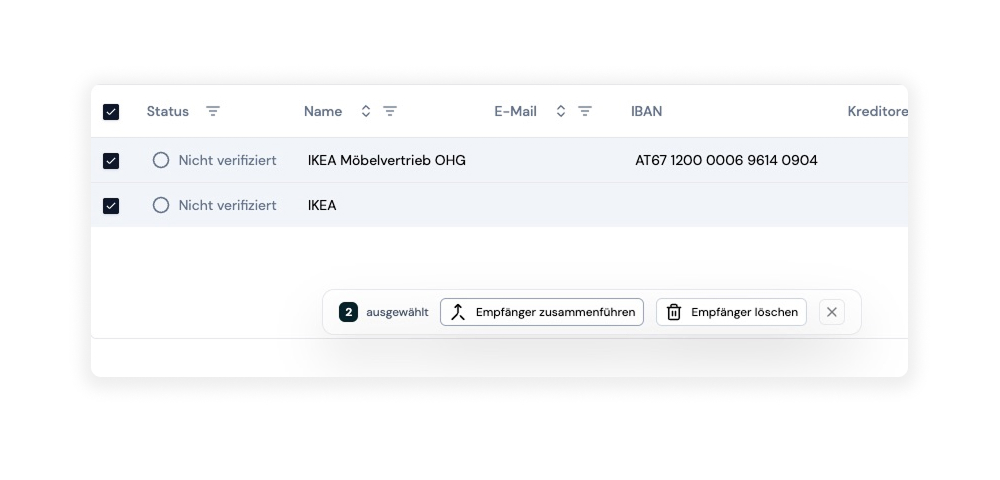
Recipient Merging

You can now merge recipients in your database with full control over the process. Select any two recipients and combine them into one while deciding exactly which data to preserve.

Recipient Merging Feature

Here's how it works:

  1. Select recipients: Choose the two recipients you want to merge from your database
  2. Initiate merge: Click the merge option to start the process
  3. Review conflicts: ibana shows you all fields where the data differs between the two recipients
  4. Choose data: For each conflicting field, select which version you want to keep in the merged recipient
  5. Complete merge: Confirm your choices and the recipients are combined

This gives you complete control over the merging process, ensuring that you keep exactly the data you want. No information is lost or automatically overwritten - you make every decision about what stays and what goes.

The feature is perfect for cleaning up your recipient database when you discover duplicates, giving you the flexibility to create the perfect combined record.

Curious?

Start managing your finances

in a modern way

ibana Logo

Your protective finance software

© 2026 ibana Software GmbH