Updates

What's new in ibana

Stay up to date with the latest features, improvements, and fixes to ibana.

FX Rate and EUR Value in Invoice Detail

  • Improvement
  • User Interface

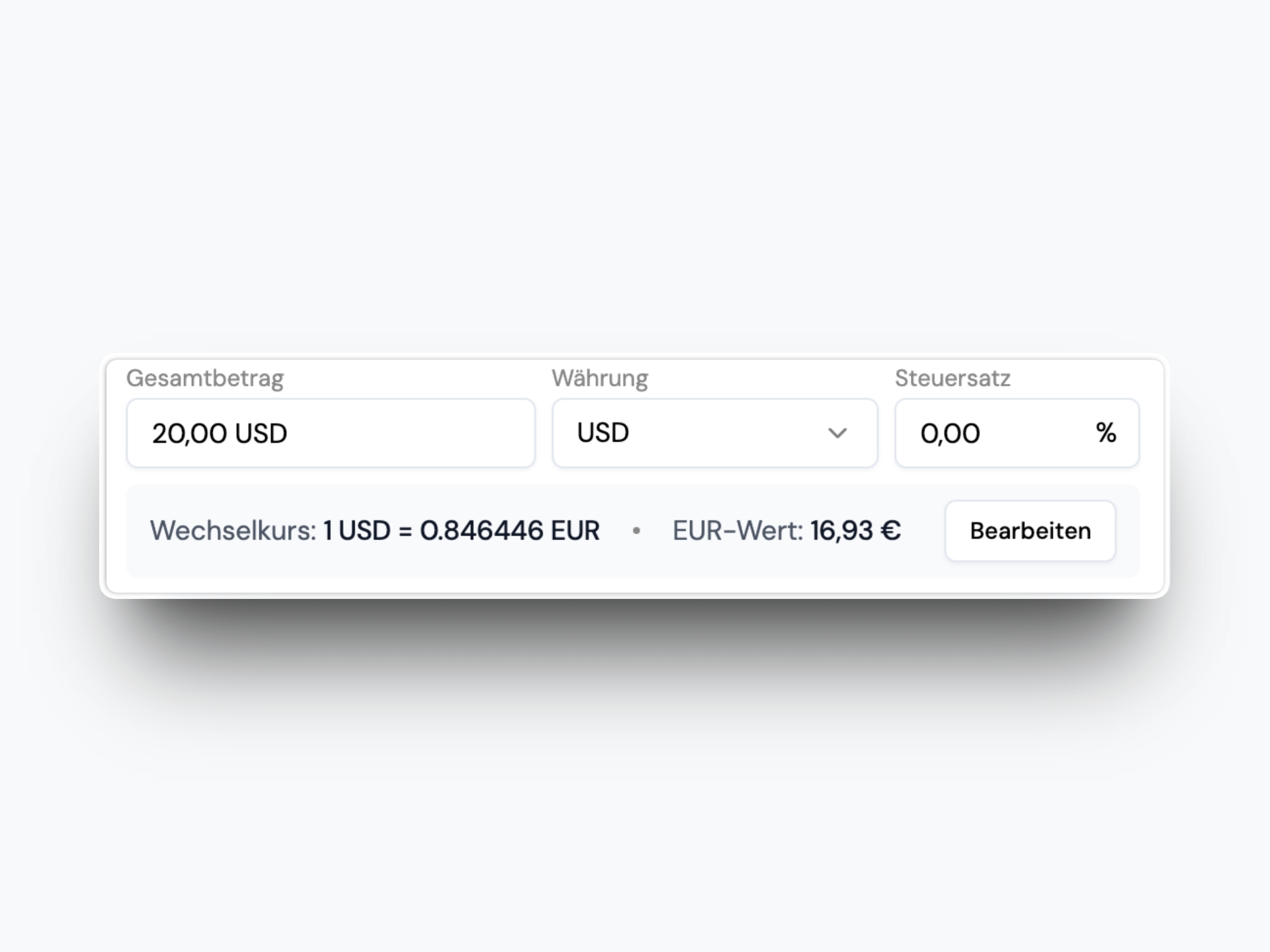
For non-EUR invoices, you now see the FX rate and the EUR value directly below the amount input.

FX Rate and EUR Value in Invoice Detail

The FX rate is pulled from the daily EZB rate. You can also edit either the EUR value or the FX rate and ibana will calculate the other automatically.

Create Transactions Manually

  • Feature
  • Transactions

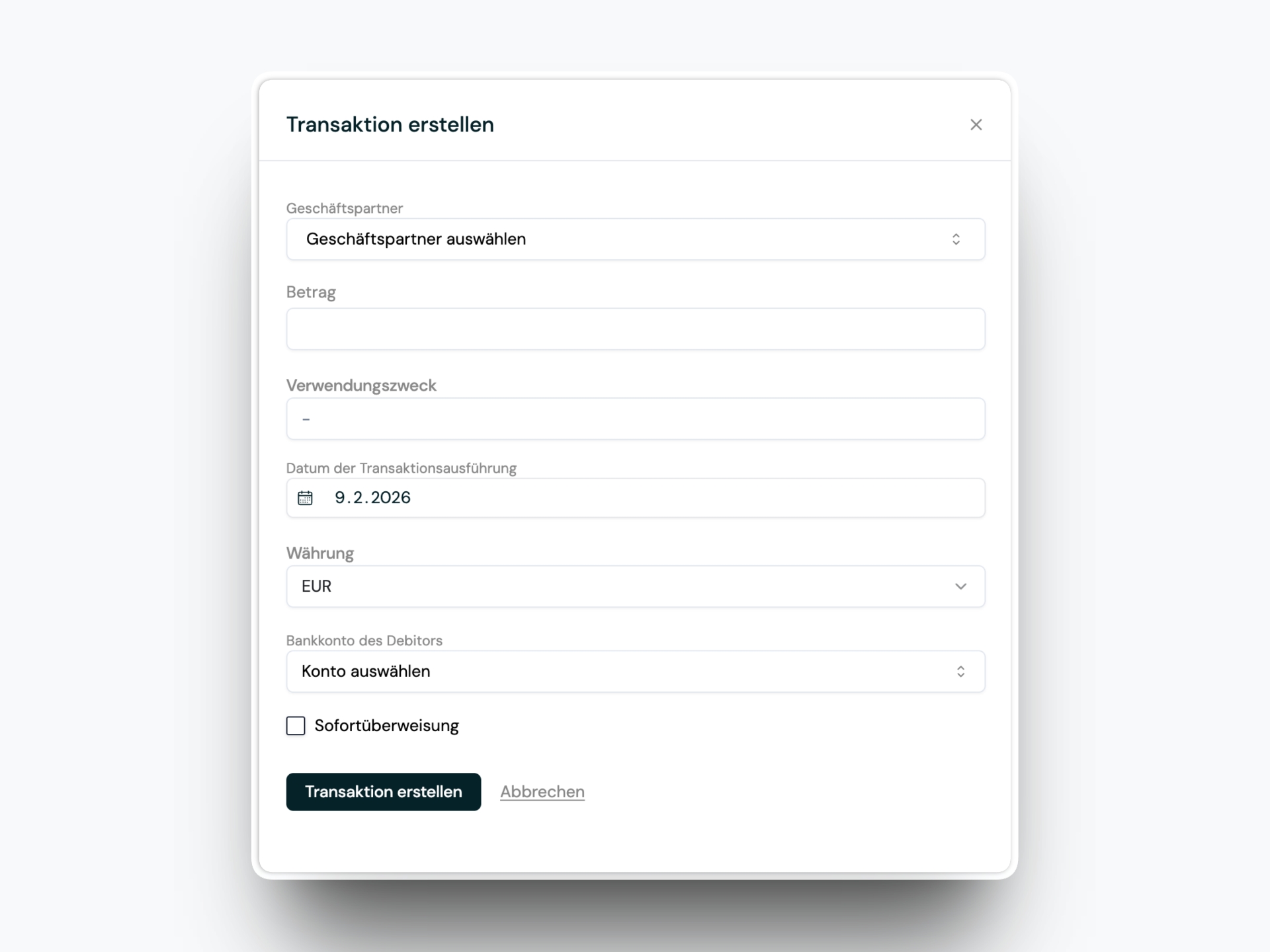
Manual transaction creation is back. If you have access to the transactions module, you can now add transactions directly.

Create Transactions Manually

A new action in the transaction dashboard and the all-transactions table opens a full-height right-side pane where you can enter the details.

Automatic Approval Workflow Selection

  • Feature
  • Workflow

Admins can enable automatic approval workflow selection. If all required data is available, ibana can select and start the appropriate workflow automatically.

You can define priority rules first and optionally let ibana AI choose a workflow based on past behavior (for example, the same counterparty and cost centers). This reduces manual routing and keeps approvals moving.

Approval Step Activation Rules

  • Feature
  • Workflow

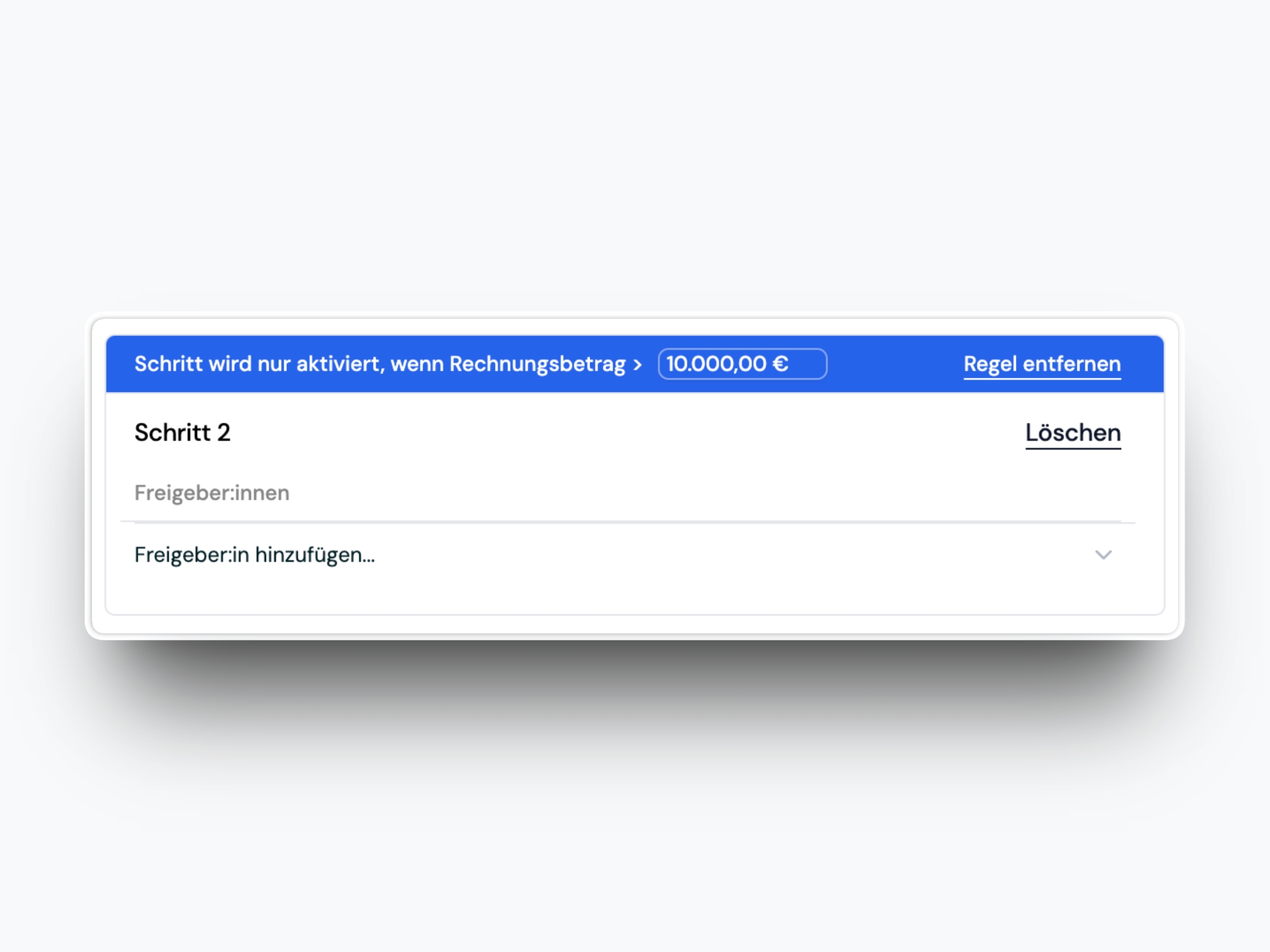
Approval workflows now support amount-based activation rules for steps.

Approval Step Activation Rules

For example, you can require a CFO step only when an invoice exceeds a specific amount. This makes workflows more precise without adding extra manual decisions.

Updated Permission System

  • Improvement
  • Permissions

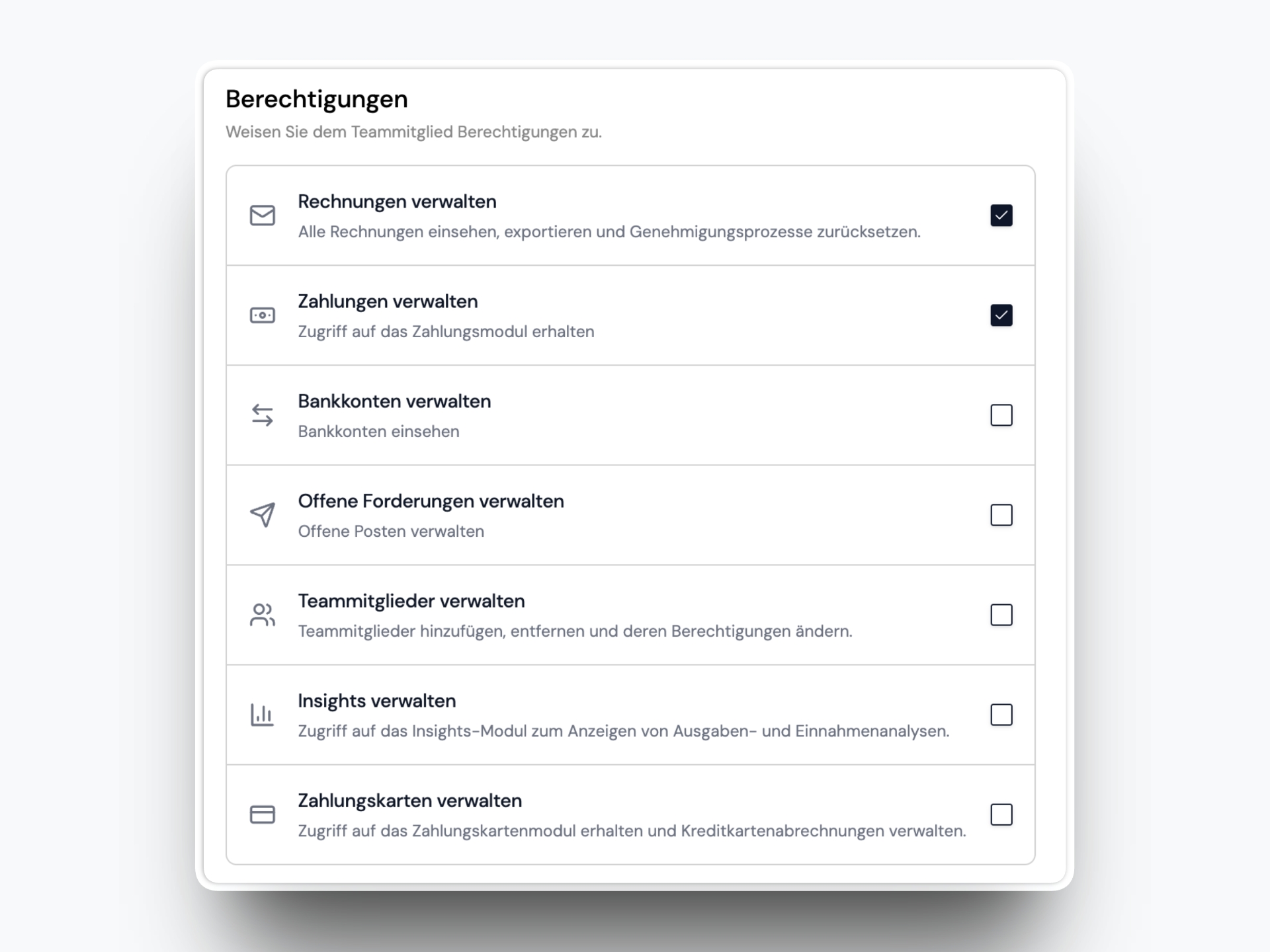
The permission system now lets admins fine-tune access for users. Instead of a single fixed User role, admins can define exactly which modules a user can access.

Updated Permission System

This gives teams more flexibility while keeping the Admin role unchanged.

Insights v1

  • Feature
  • Analytics

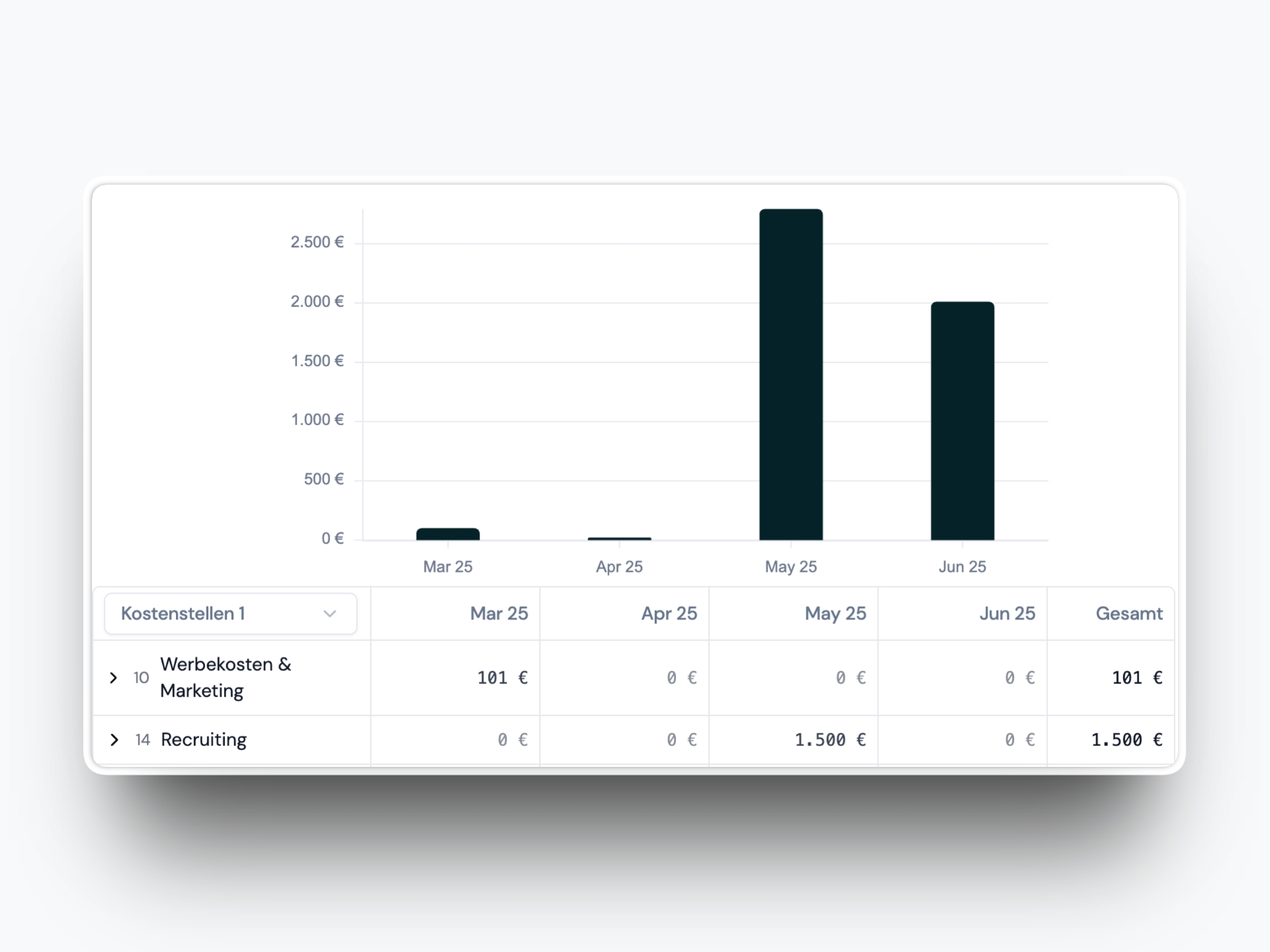
Insights v1 introduces a new way to explore both expense and income trends based on invoices in your system.

Insights v1

You can:

  • View expenses and income in a bar chart by month, quarter, or year
  • See a detailed table below the chart with breakdowns by cost centers and counterparties
  • Search and collapse categories to focus on what matters

Enhanced Duplicate Detection

  • Improvement
  • User Interface

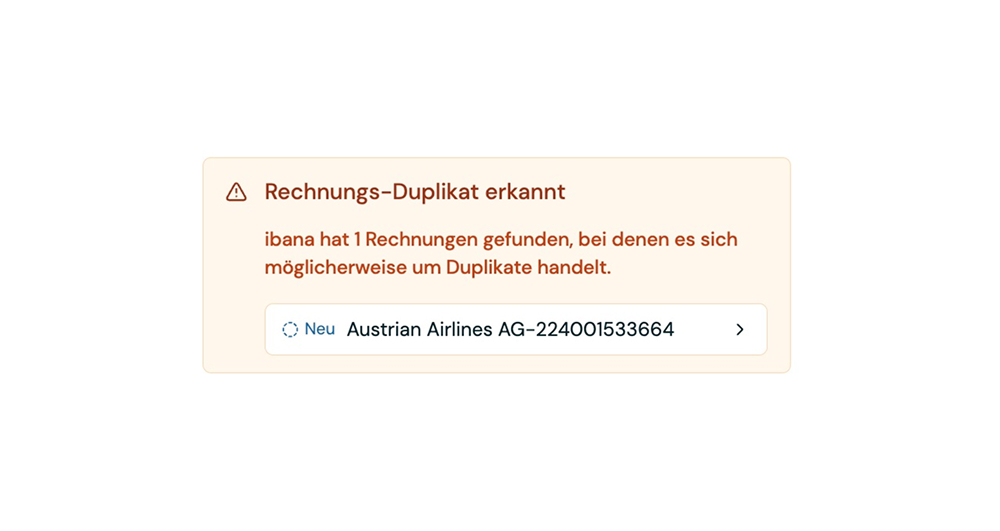
We've updated the invoice duplicate detection to be more reliable and show potential duplicates more prominently.

Enhanced Duplicate Detection

The system now uses multiple fields to determine duplicates including:

  • Vendor
  • Invoice number
  • Date
  • Amount

This multi-field analysis provides more accurate duplicate detection while reducing false positives. Potential duplicates are now displayed more prominently in the interface, making it easier to spot and handle them quickly.

More Precise Recipient Selection

  • Feature
  • Settings

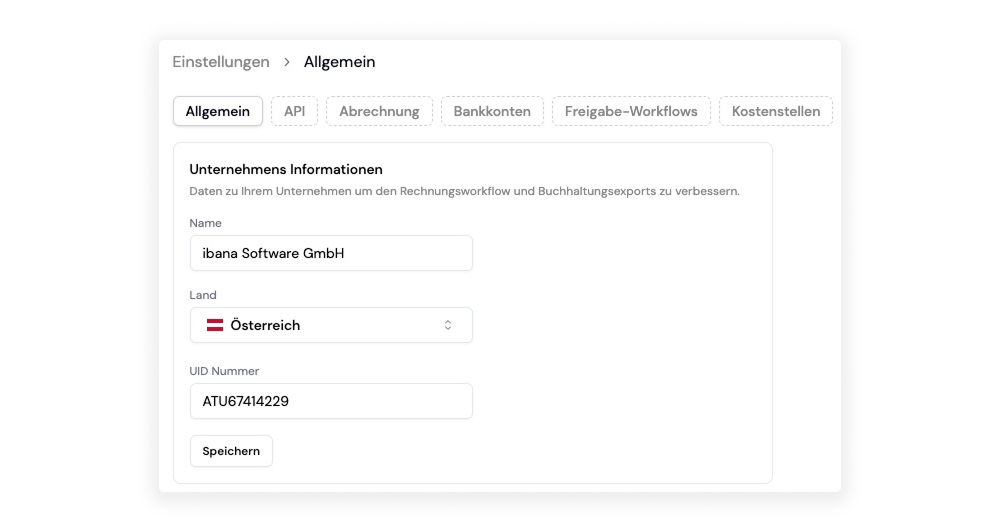
Configure your UID in the settings to help ibana more accurately identify invoice issuers versus invoice payers.
More Precise Recipient Selection

When processing invoices, ibana reads two UIDs - one from the invoice issuer and one from the invoice payer. Previously, the system sometimes confused these two roles, incorrectly identifying the payer as the issuer.

Now you can input your own UID in the settings. This allows ibana to recognize which UID belongs to you (the invoice payer) and correctly identify the other UID as the invoice issuer.

This simple configuration significantly improves the accuracy of recipient selection, ensuring invoices are properly categorized and processed.
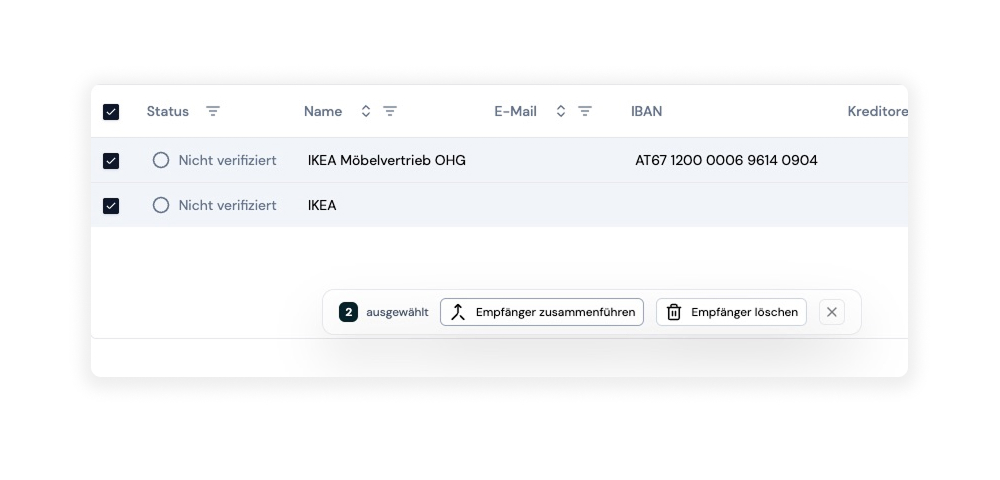
Merge recipients

  • Feature
  • Data Management

You can now merge recipients in your database with full control over the process. Select any two recipients and combine them into one while deciding exactly which data to preserve.

Recipient Merging Feature

Here's how it works:

  1. Select recipients: Choose the two recipients you want to merge from your database
  2. Initiate merge: Click the merge option to start the process
  3. Review conflicts: ibana shows you all fields where the data differs between the two recipients
  4. Choose data: For each conflicting field, select which version you want to keep in the merged recipient
  5. Complete merge: Confirm your choices and the recipients are combined

This gives you complete control over the merging process, ensuring that you keep exactly the data you want. No information is lost or automatically overwritten - you make every decision about what stays and what goes.

The feature is perfect for cleaning up your recipient database when you discover duplicates, giving you the flexibility to create the perfect combined record.

30 minutes. Your invoices. Handled live.