Updates

What's new in ibana

Stay up to date with the latest features, improvements, and fixes to ibana.

Introducing the ibana mobile app

  • Feature
  • Mobile

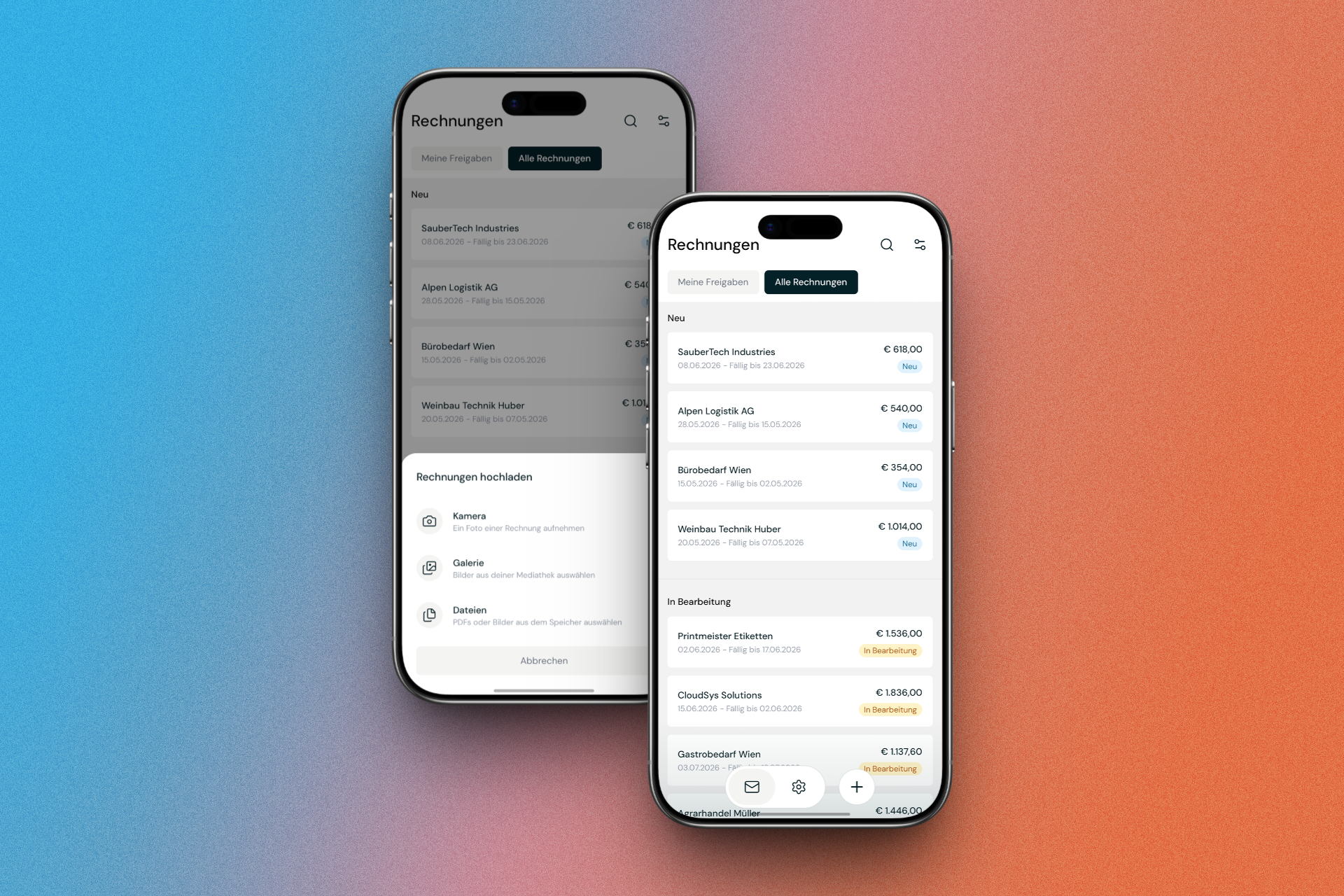
We're excited to launch the ibana mobile app — a major milestone that brings your financial workflows to your iPhone or Android phone.
ibana mobile app

Whether you're on the go, in a meeting or away from your desk, you can now take action directly from your phone:

  • Approve invoices — review and approve incoming invoices from anywhere, without having to wait until you're back at your computer
  • Capture receipts — snap a photo of a receipt and ibana takes care of the rest: automatic data extraction, categorization and routing for approval
  • Stay on top of your finances — get a clear overview of what's new, what's pending and what needs your attention

The mobile app is available now for both iPhone and Android.
Download the ibana app →

Preview attachments directly in the invoice view

  • Feature
  • User Interface

Attachment Preview

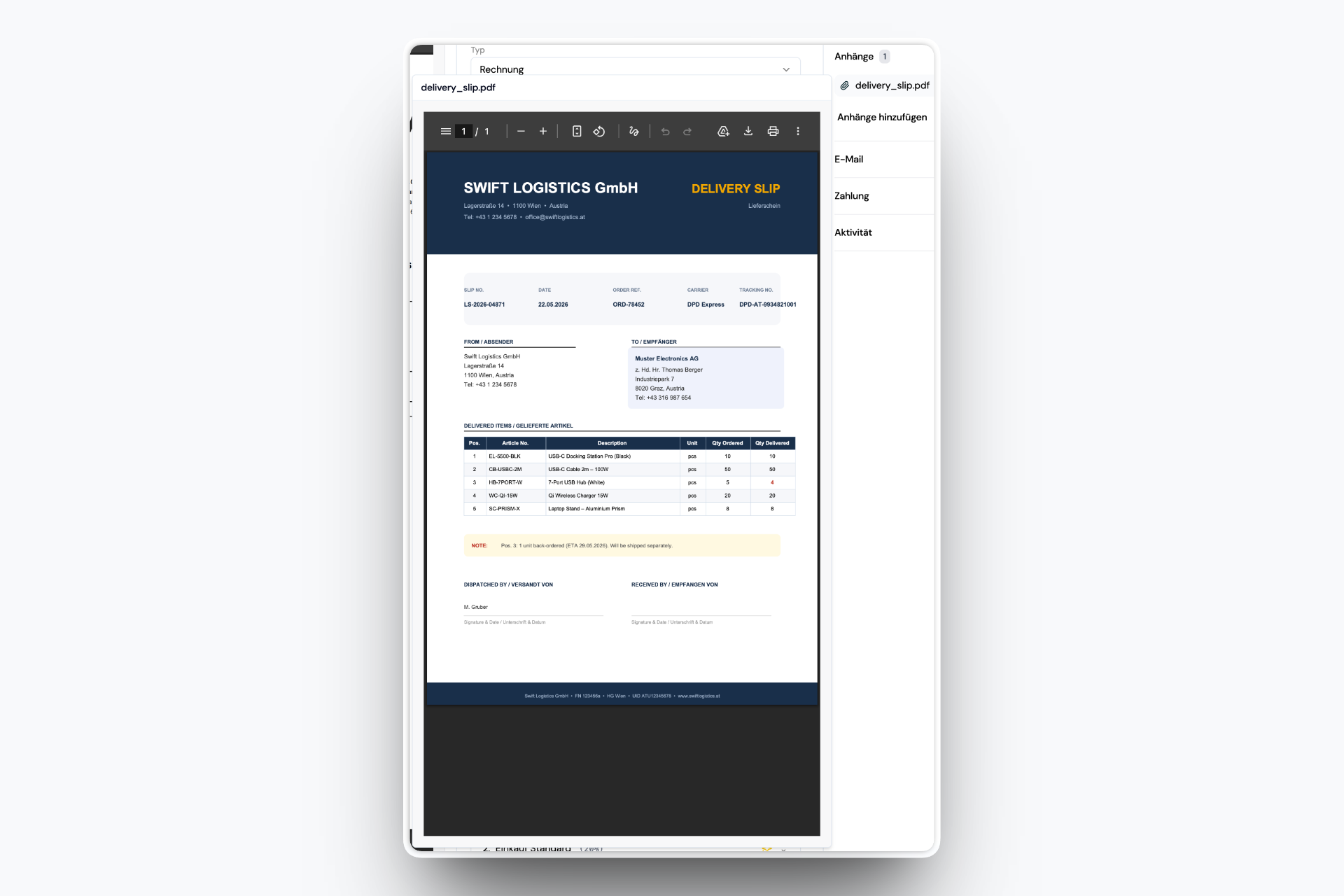
When working through invoices, you often need to check supporting documents like delivery slips or order confirmations. Until now that meant downloading the file or switching to another tab.

You can now preview PDF attachments directly inside the invoice view. The document opens in a panel next to the invoice details, so you can compare everything side by side without leaving the page.

Payment Cards

  • Feature
  • Transactions

Company cards are the part of company spending that usually lives outside the finance tool: a statement arrives as a PDF or CSV, someone matches each line to a receipt by hand, and the missing ones get chased over chat.

The Payment Cards module brings that into ibana.

From statement to bookkeeping

  • Import statements as PDF or CSV — or let them arrive by email like any other document. Upload progress and extraction are visible while it runs.
  • Automatic matching between card transactions and the invoices or receipts already in ibana. Upload a receipt against a transaction and ibana tries to match it straight away.
  • Missing invoices view so you can see at a glance which transactions still have no receipt, and remind the card owner instead of chasing them manually.
  • Export for bookkeeping with the same accounting setup you already use for invoices, so card spending reaches your accounting system the same way invoices do.

Managing the cards themselves

Cards can be created, archived and given an expiration date. Card access has its own permissions, so you can let people see their own card without opening up the rest of finance.

Card transactions also handle the details that break simple matching: fees extracted from the statement, credit notes, and FX rates taken from the statement rather than the invoice.

Read more in the documentation: Kartenabrechnungen.

Recurring Invoices

  • Feature
  • Automation

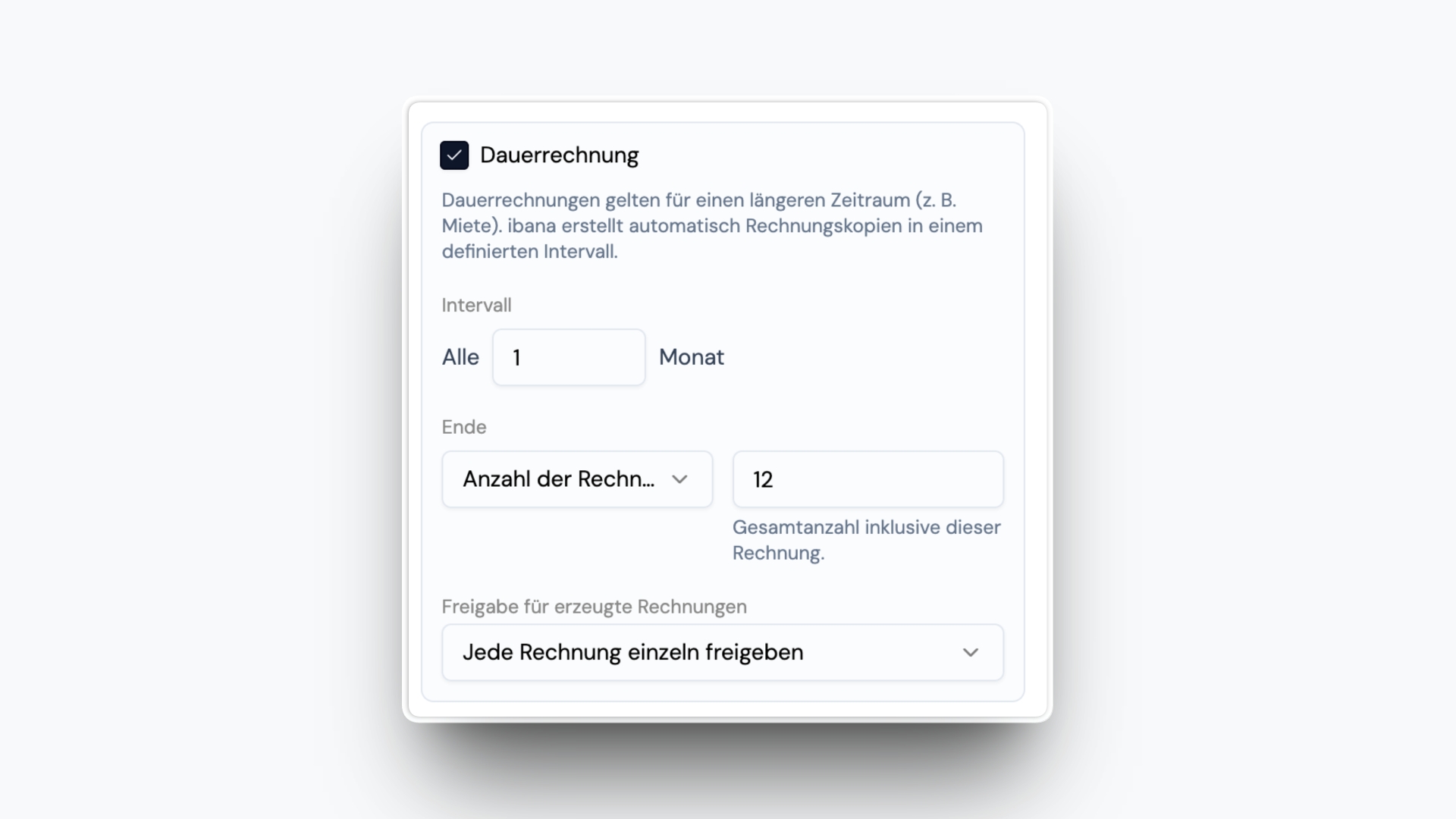
Recurring accounts payable invoices can now be managed directly in ibana. In the invoice detail, you can mark an invoice as recurring and define that it should be generated and posted again automatically on a specific schedule.

Recurring Invoices

You can define:

  • how often the invoice should be generated again
  • how long the recurring invoice should run
  • whether generated invoices are approved automatically or need to go through approval again

This makes it much easier to manage rent, leasing, and other recurring invoices without recreating them manually every month or handling them outside of ibana.

Read more in the documentation: Recurring Invoices.

Managing Credit Notes and Supplier Credits

  • Feature
  • Automation

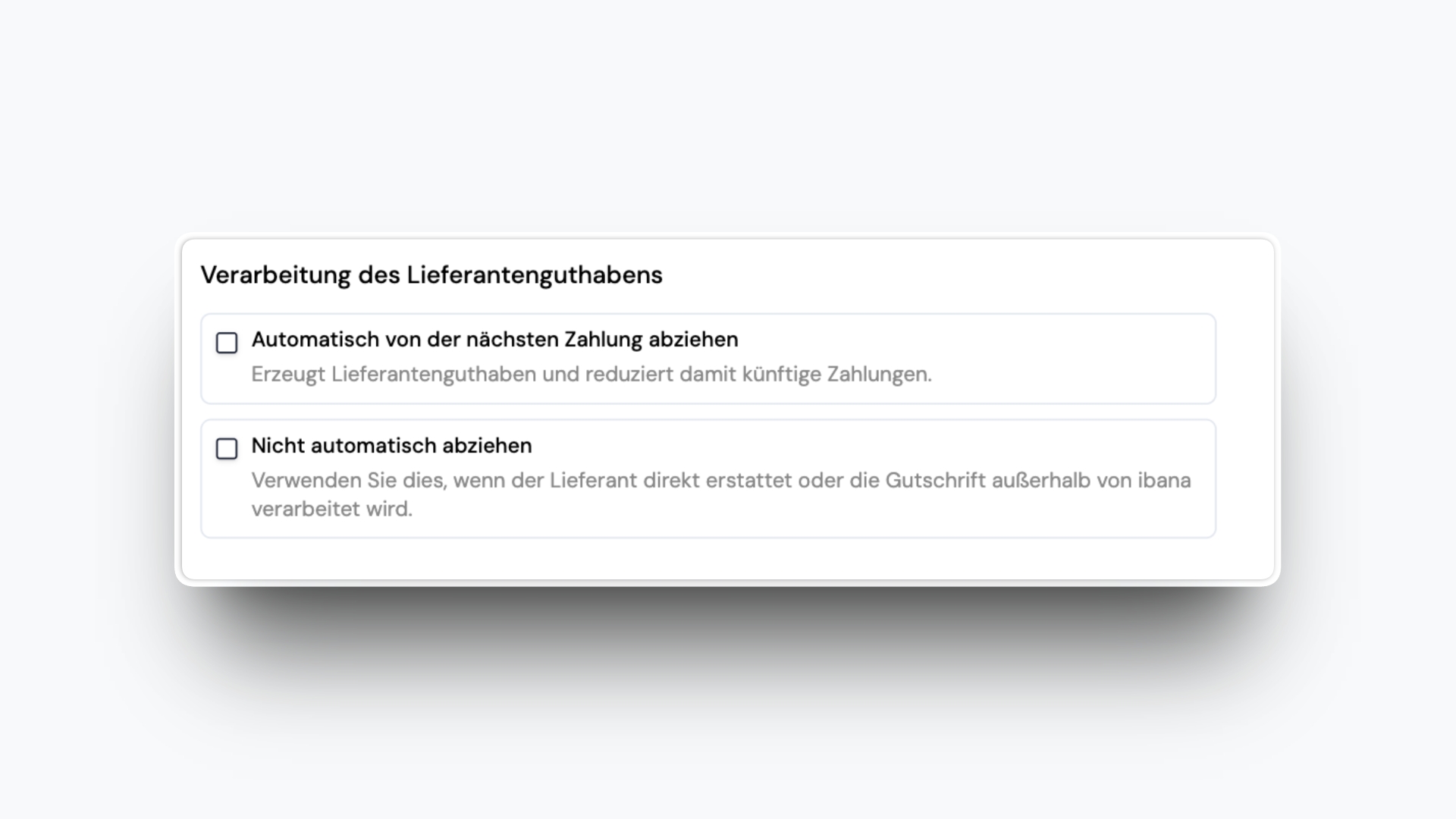
For supplier credit notes, you can now define that the amount should be deducted automatically from the next payment to the same supplier.

Managing Credit Notes and Supplier Credits

ibana then handles the offset automatically, so credit notes and existing supplier credits no longer need to be tracked separately or applied manually when the next payment is made.

This keeps outstanding amounts accurate and makes managing credit notes much easier in your accounts payable workflow.

Warnings for Invalid Tax Rates

  • Improvement
  • Taxes

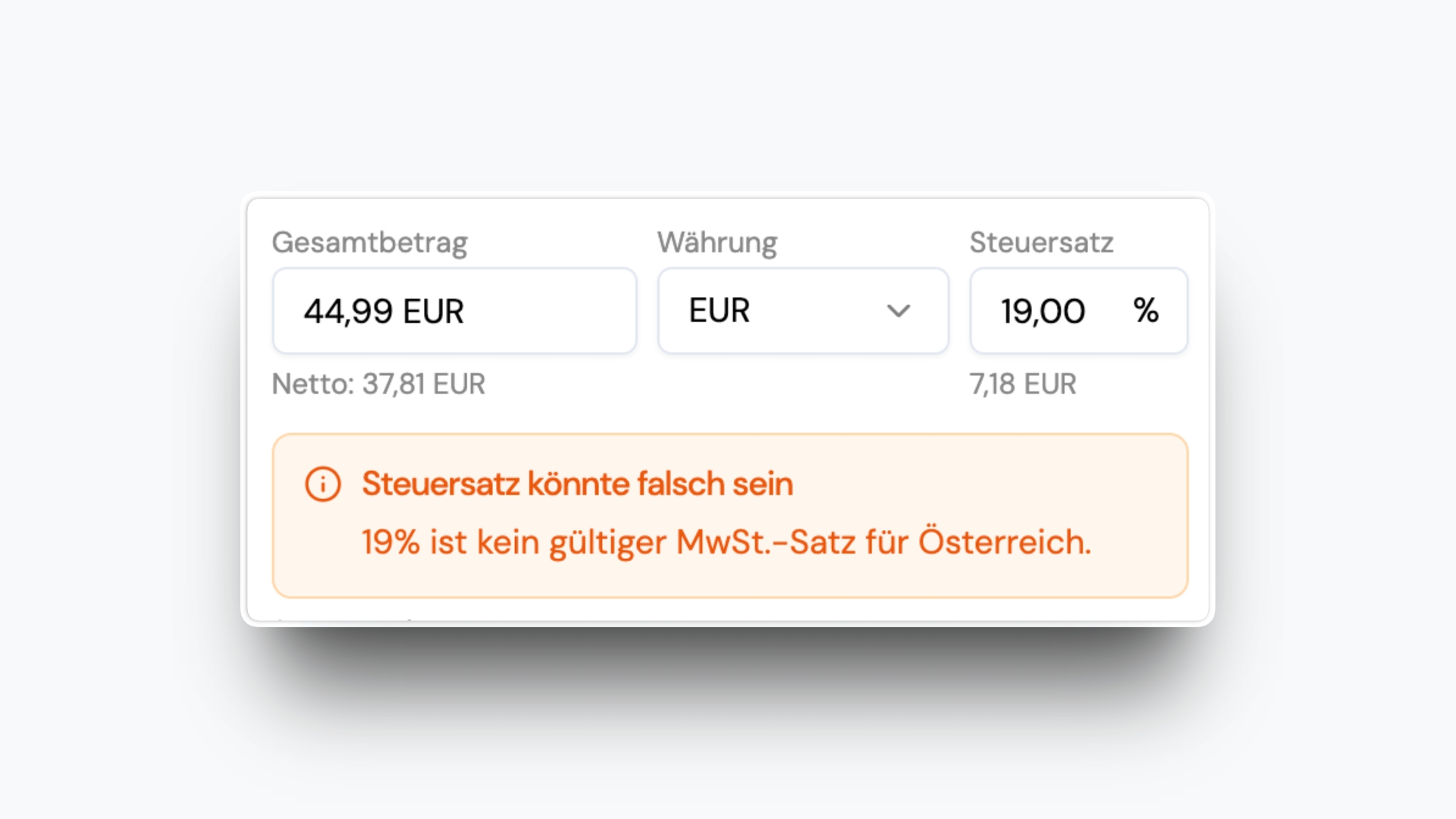
ibana now warns you when an invoice uses a tax rate that is not valid for the selected country.

For example, if an invoice is assigned to Austria and contains a 19% tax rate, ibana will show a warning because 19% is not a valid Austrian tax rate.

Warnings for Invalid Tax Rates

This helps your team catch incorrect tax treatment earlier and avoid cases where input tax may not be deductible.

Tax Registrations for Multiple Countries

  • Feature
  • Taxes

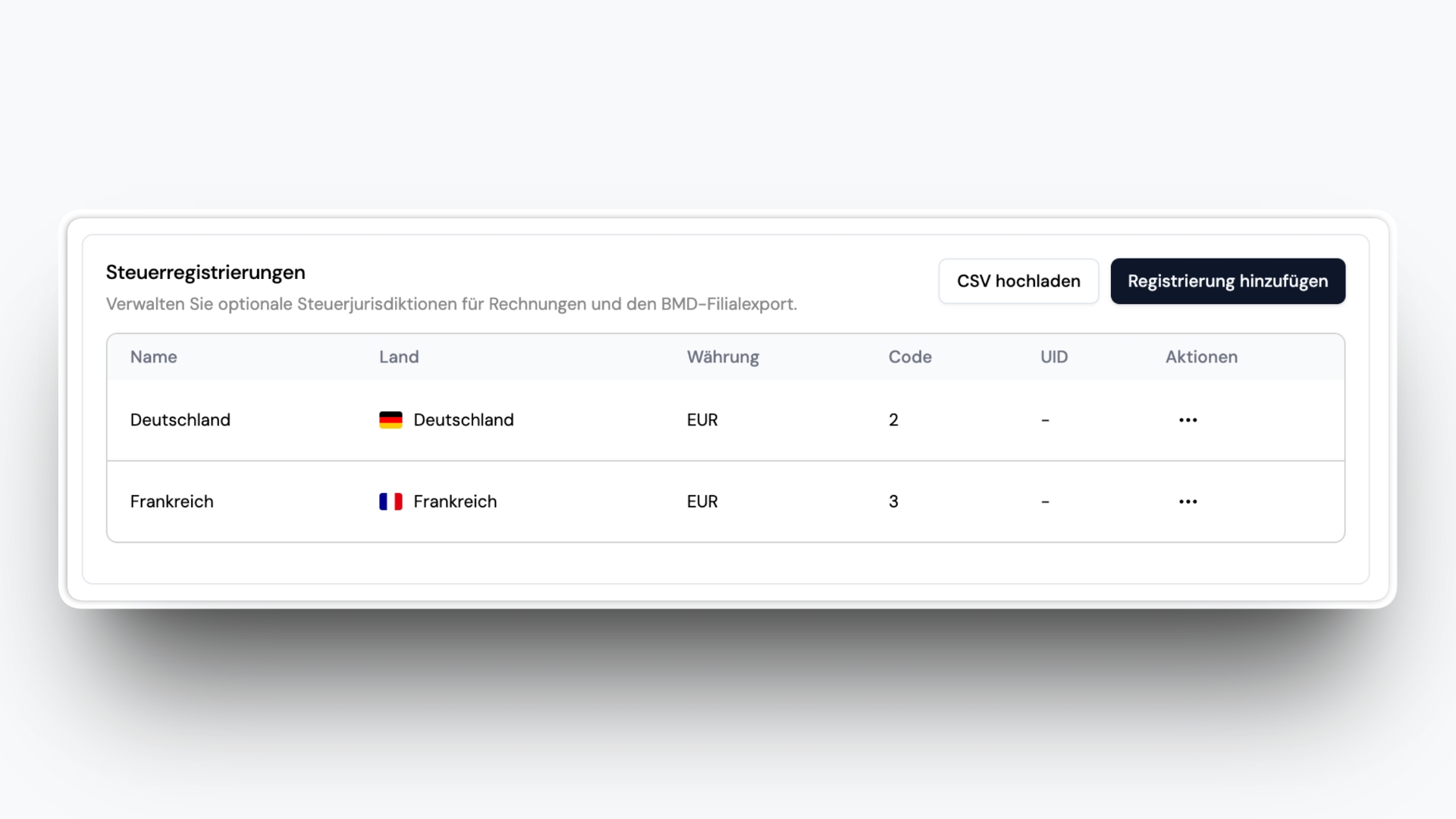
You can now add tax registrations for countries beyond your company’s headquarters and assign them directly on invoices.

This is useful if your company is based in one country but also has tax registrations in others, such as Germany or France. When an invoice belongs to one of those registrations, you can now classify it accordingly in ibana.

Tax Registrations for Multiple Countries

ibana will then apply the correct tax rate and tax code for that registration and include it correctly in the BMD export.

This gives your team more control over cross-border invoice handling and reduces manual corrections later.

New List View for Export-Ready Invoices

  • Feature
  • User Interface

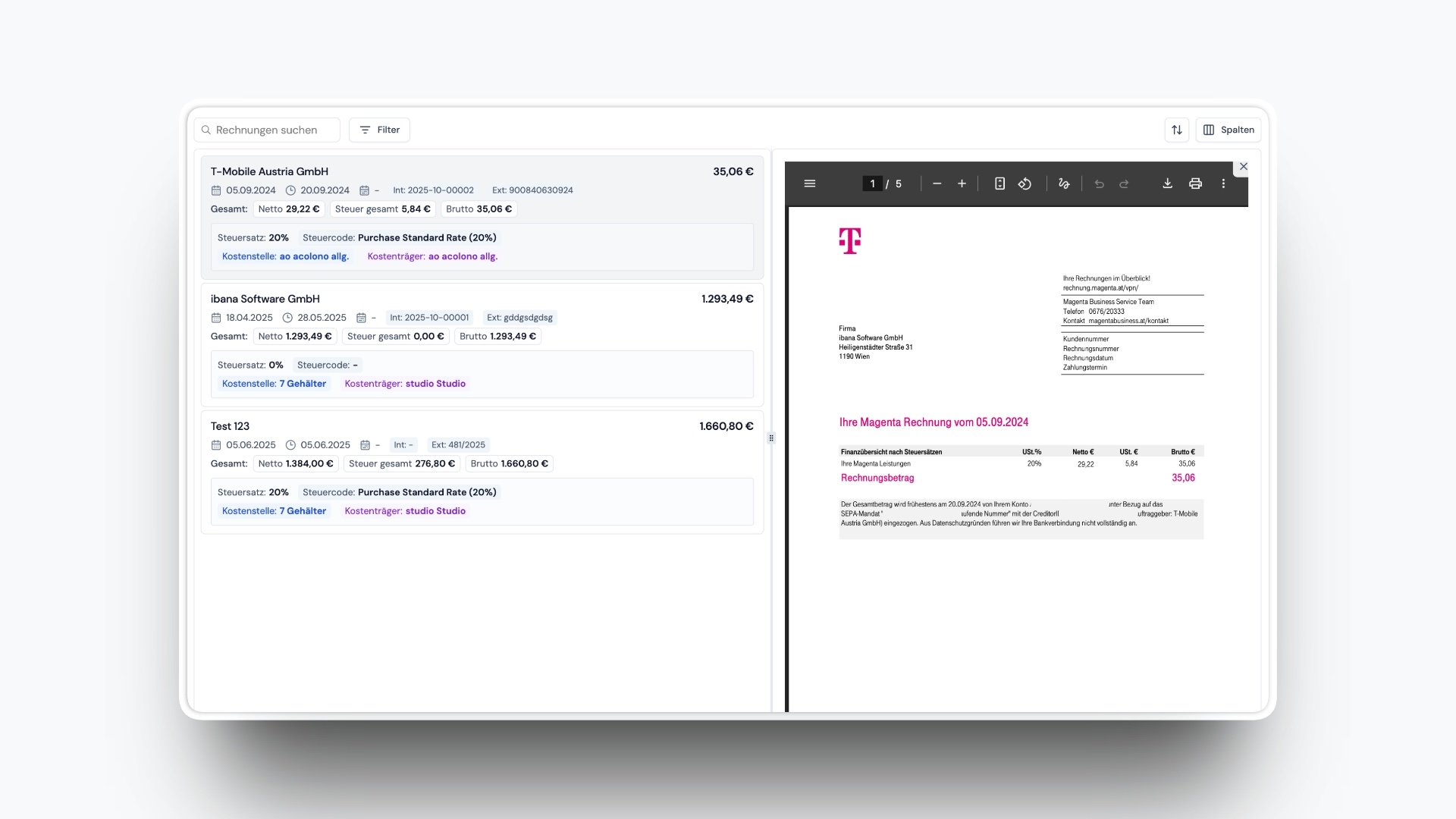
Export-ready invoices now have a dedicated list view designed for bookkeepers.

Previously, these invoices were only shown in a table. The new view makes it much easier to quickly scan all export-ready invoices and check whether the recorded data matches the invoice itself.

New List View for Export-Ready Invoices

You can move through invoices one by one, see the accounting data in a structured list on the left, and open the invoice PDF directly on the right.

This makes it faster to review export-ready invoices, spot missing information, and verify that everything is ready before export.

Negative Amounts for Invoice Splits

  • Feature
  • User Interface

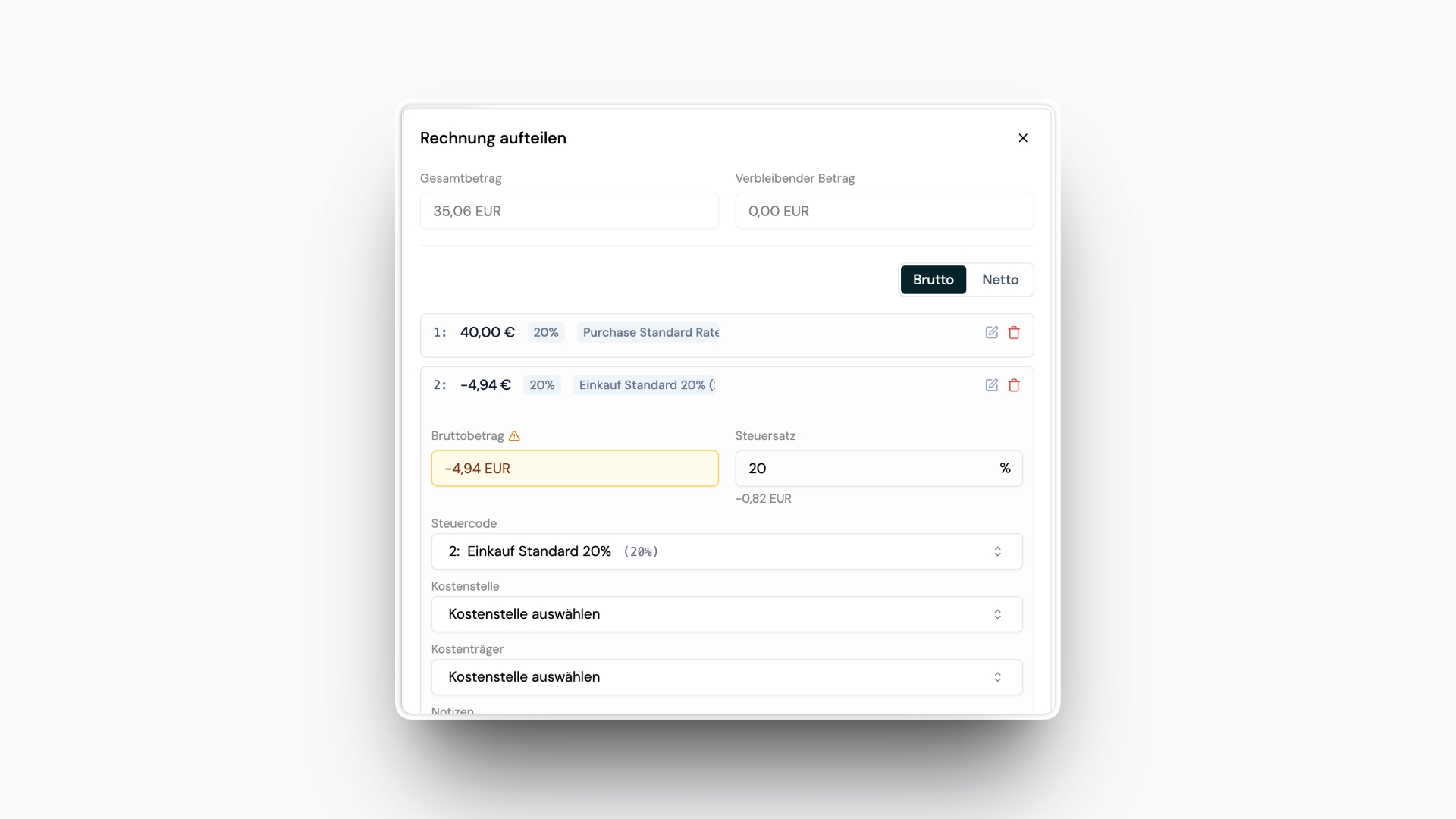
Invoice splits now support negative amounts.

This is useful for refunds or other cases where part of an invoice should reduce the total instead of adding to it.

Negative Amounts for Invoice Splits

Negative splits are also highlighted with a visual cue, so you can spot them immediately in the invoice view.

This makes it easier to map special cases correctly while keeping split details clear at a glance.

Tax and Net Amounts in Invoice Detail

  • Improvement
  • User Interface

Invoice detail now shows tax amounts and net amounts directly in the amount section.

Previously, ibana only displayed the gross amount together with the tax percentage to keep the view visually simple.

Now you can see the full breakdown at a glance without having to calculate the amounts yourself.

This makes invoice details easier to review and helps you understand totals faster.

30 minutes. Your invoices. Handled live.